Showing posts with label Linux. Show all posts

Download KDE for Windows

Download KDE for Windows The KDE on Windows team today announced the immediate availability of "Caizen", (a.k.a KDE 4.3.0) a new stable Release of KDE.

This release contains many bug fixes and some new applications. The binary packages could be installed with the installer by using the version "stable 4.3.0" (or "stable latest").

In case you are upgrading your KDE installation, deselect the skip basic settings checkbox on the first installer page and press next until you are guided to the release settings page, where you can choose the required version.

In this release major changes have been made to the infrastructure used by KDE on Windows: The msvc-packages have moved to the Visual Studio 9.0-compiler and packages for MinGW 4.4.0 have also been added. This will also mean that if the MinGW 4.4.0 packages show that they are stable enough, MinGW 3.4.5 packages might be discontinued in one of the coming releases.

The KDE on Windows Project is aimed at native porting of the KDE applications to MS Windows. Currently Windows 2000, XP, 2003 and Vista are supported.

The preferred way of installing KDE apps under Windows is the KDE-Installer.

KDE on Windows is not in the final state, so applications can be unsuitable for day to day use yet.

For some help from the project members join the IRC channel #kde-windows on freenode.

Go get it : windows.kde.org/

Technorati Tags: ,,,
| Continue Reading..

Ubuntu 9.04 Boots in 21.4 Seconds

There are only two days left until the third Alpha version of the upcoming Ubuntu 9.04 (Jaunty Jackalope) will be available (for testing), and...

we couldn't resist the temptation to take the current daily build for a test drive, before our usual screenshot tour, and taste the "sweetness" of that evolutionary EXT4 Linux filesystem.

Announced on Christmas Eve, the EXT4 filesystem is now declared stable and it is distributed with version 2.6.28 of the Linux kernel and later. However, the good news is that the EXT4 filesystem was implemented in the upcoming Ubuntu 9.04 Alpha 3 a couple of days ago and it will be available in the Ubuntu Installer, if you choose manual partitioning (see the screenshot below for details). The bad news is that EXT4 will not be the default filesystem for the Ubuntu OS until version 9.10, due for release in late October this year.

OK, OK... so how will the end user benefit from this EXT4 filesystem? Well, first of all, the whole system will be much faster and more reliable compared to one with EXT3 (I guess that some of you still remember the Firefox/Ext3 issue), it will boot faster (the current article proves that) and it's able to handle files with sizes of up to 16 terabytes (1 TB = 1000 GB). But these are just a few of the futures brought by the fourth extended filesystem, for more details you can check the Wikipedia entry for EXT4.

We've tested the boot process of a default Ubuntu 8.10 and 9.04 Alpha (Build 20090112.1) installation on two machines, an AMD Sempron 1.8 Ghz, 80 GB IDE hard drive with 512 RAM DDR and an Intel Core 2 Duo E4300 running at 2.2 Ghz, 250 GB SATA hard drive with 4 GB RAM DDR2. Here are the results of our tests:

· Ubuntu 8.10 with EXT3 filesystem boots in 31.8 seconds (on the AMD Sempron system);
· Ubuntu 9.04 Alpha (Build 20090112.1) with EXT3 filesystem boots in 28.3 seconds (on the AMD Sempron system);
· Ubuntu 9.04 Alpha (Build 20090112.1) with EXT4 filesystem boots in 23.1 seconds (on the AMD Sempron system);
· Ubuntu 9.04 Alpha (Build 20090112.1) with EXT4 filesystem boots in 21.4 seconds (on the Intel Core 2 Duo system)!

The boot times were calculated from the moment the GRUB boot loader appeared on the screen and until the login manager was displayed. As you can see, there is an approximately 10 second difference between an Ubuntu 8.10 (Intrepid Ibex) installation and an Ubuntu 9.04 (Jaunty Jackalope) one. But this does not stop us from hoping that the boot times will decrease even more until the final version of Ubuntu 9.04 hits the streets.

Currently, EXT4 can only be applied from the text mode installation of Ubuntu 9.04 (the Alternate CD). Don't forget to check our website on Thursday for the screenshot tour of Ubuntu 9.04 (Jaunty Jackalope) Alpha 3 when we will reveal even more goodies from the Ubuntu land.

source: news.softpedia.com

Technorati Tags: ,,
| Continue Reading..

Free (as in beer) CodeWeavers CrossOver Linux and Mac

Try as you might to get away from Windows, you might think that you're stuck with using it because there's this one program that you have to use and you can't find anything on Linux or Mac OS that works for you. Well, you're in luck. CodeWeavers the company behind CrossOver Linux Pro and CrossOver Mac Pro is offering for today, October 28th, free downloads and registrations for these programs that will enable you to run many popular Windows programs, such as Quicken, Microsoft Office, and Photoshop CS2 on your favorite operating system.

This offer started as a pointed joke at George W. Bush's expense: the Great American Lame Duck Presidential Challenge. In the Challenge, which CodeWeavers launched in July, the company said it would provide its software for free in the unlikely event that under Bush's administration any of the following things happened: Return the stock market to it's 2008 high; Reduce the average price of a gallon of milk to $3.50; Create at least one net job in the U.S. this calendar year; Return the median home price to its Jan. 1, 2008 level; Bring Osama Bin-Laden to justice; or, and this one that actually happened, bring the average gasoline prices in the Twin Cities (Minneapolis/St. Paul) to $2.79 a gallon.

As Jeremy White, president and CEO of CodeWeavers, explains, "I was filling my tank at Big Steve's Gas Palace in St. Paul, I had just finished my morning corn dog and 64-ounce Dr. Pepper when I looked at the pump and noticed gas was at $2.79. I screamed 'Woohoo,' then I yelled 'Oh, crap!' as I realized every American can now have my software for free. Kind of upsets my fourth quarter revenue projections..."

White admits this is not how he foresaw the Challenge unfolding. "I launched the campaign to inspire President Bush to make the most of his final days in office. Who knew that our Challenge would have this kind of impact on the country?" White said. "On the other hand, who knew that the economy would implode, causing oil demand to drop into the abyss and gas prices to plummet as well. Clearly, investigating Bear Stearns, AIG and those guys is misplaced -- CodeWeavers is responsible for this mess. So it's free software for all!"

Somehow, I don't think it really worked quite that way, but hey, free software is free software. To get a copy of CrossOver Mac Pro, Crossover Linux Pro, CrossOver Mac Games or CrossOver Linux Games, visit the company's Web site and download the software. You will, eventually, get a deal code that fully enables the software and gets you six-months of support as well.

I say 'eventually,' because right now the site is swamped. White says though that the company will send the registration code to users by e-mail over the next few days.

What you're getting for this is a program that makes the open-source project Wine an implementation of the Windows API (application program interface) on top of the Unix/Linux operating system family easy to use. Wine has more than 15 years of development behind it. In addition, CrossOver supports ActiveX, a Microsoft COM (component object mode) that's used on such Web pages and DirectX, a Microsoft multimedia API that's usually used in games.

What Wine isn't however, is easy to implement on your own. That's where CrossOver comes in. CrossOver makes it simple to install both the Wine framework and Windows programs on both Linux and Mac OS X.

Once installed, you can run many popular Windows applications and games. This isn't just what CrossOver claims, I've used CrossOver Linux for years and it works extremely well. In my own case, I often use Windows applications running on Linux thanks to CrossOver to work on Word 2003 documents, Excel 2003 spreadsheets, Internet Explorer 6-specific Web pages, and fairly complicated Quicken 2006 financial statements.

I also use it to play WoW (World of Warcraft) and, my own favorite game, Guild Wars. I'm a fairly serious player vs. player Guild Wars player and I can assure you that if Guild Wars, a 3D MMORPG (massively multiplayer online role-playing game) didn't work well on Linux, I'd be running it on Windows.

How much do I like CrossOver? I pay my own money for it. How was I to know that gas would drop below $3 a gallon!?

CrossOver doesn't run everything, and it does have some quirks. That said, it does run most of the important Windows applications and, hey, today, you get the full version for free so you can try it out for yourself. Go for it! You've nothing to lose, and you might just find yourself able to give up your nasty Windows habit for good.

Source : blogs.computerworld.com

| Continue Reading..

10 fundamental differences between Linux and Windows

I have been around the Linux community for more than 10 years now. From the very beginning, I have known that there are basic differences between Linux and Windows that will always set them apart.

This is not, in the least, to say one is better than the other. It’s just to say that they are fundamentally different. Many people, looking from the view of one operating system or the other, don’t quite get the differences between these two powerhouses. So I decided it might serve the public well to list 10 of the primary differences between Linux and Windows.

1: Full access vs. no access
2: Licensing freedom vs. licensing restrictions
3: Online peer support vs. paid help-desk support
4: Full vs. partial hardware support
5: Command line vs. no command line
6: Centralized vs. noncentralized application installation
7: Flexibility vs. rigidity
8: Fanboys vs. corporate types
9: Automated vs. nonautomated removable media
10: Multilayered run levels vs. a single-layered run level

Those are 10 fundamental differences between Linux and Windows. You can decide for yourself whether you think those differences give the advantage to one operating system or the other. Me? Well I think my reputation (and opinion) precedes me, so I probably don’t need to say I feel strongly that the advantage leans toward Linux.

source: blogs.techrepublic.com.com

Technorati Tags: ,,
| Continue Reading..

Mac OS X and Linux Continue to Erode Windows' Install Base

Apple's Mac OS X and the open source Linux operating systems continue to erode the install base of Microsoft's proprietary platform. According to statistics made available by Net Applications, Windows accounted for a market share of no less than 93.06% back in August 2007.

ne year later, and all the available versions of Windows own just 90.66% of the operating system market – a consistent drop, which places Microsoft dangerously close to the 90% milestone. In fact, by the end of 2008, the Redmond company could see Windows' share of the OS market depreciate under 90%, if the current trends continue.
The release of Windows Vista Service Pack 1 in March 2008 has done little to stop Mac OS X and Linux from gaining additional users. At the end of August 2007, Apple had 6.18% of the operating system market. A year later, and the Cupertino-based hardware company has managed to climb to 7.86% and, considering the explosion of the iPhone's install base to a high of 0.30%, it is now well over 8%. In fact the availability of the iPhone 3G has caused the phone's OS share of the overall market to jump over 58% just from July to August 2008.

According to Net Applications, at the end of the past month, Linux enjoyed a share of 0.93%. The distributions of the open source platform may very well still be under 1%, but the growth from August 2007 is nothing short of spectacular. Last year, Linux only owned a share of 0.47%. August 2008 has seen Linux's install base almost double compared to the same month of 2007, and September 2008 might very well see the platform over the 1% milestone.

Following the rollout of Windows Vista and the June 2008 retail and OEM availability cut-off date, Windows XP is down to just 69.49% in August 2008, having dropped from 79.66% in August 2007. During the same period Windows Vista has increased its market share from 7.41% to 17.85%. Microsoft has in fact been claiming since mid-2008 that it has sold in excess of 180 million licenses of Windows Vista.

source: news.softpedia.com

Technorati Tags: ,,

| Continue Reading..

KDE 4.1 released

The community behind KDE, the widely used Linux and Unix desktop environment, this week released the final version of KDE 4.1, a significant upgrade and the second edition of KDE to use the Qt 4 application development framework.

Along with Gnome, KDE is one of the two most widely used desktop environments for Linux and Unix systems. With the KDE 4 series, developers shifted the system from the Qt 3 application-development framework to Qt 4, while rebuilding the desktop environment from scratch.

KDE 4, however, was criticised by users on open-source mailing lists for its lack of features and customisability, bugs and usability problems. Some suggested including older versions of KDE alongside KDE 4 or even creating a new system based on KDE 3.5 but ported to the Qt 4 framework.

Developers said that, with version 4.1, a number of additional applications have made the transition to KDE 4, most notably the personal information manager Kontact, which includes the email client KMail, the planner KOrganizer and other components.

Unlike its predecessors, Qt 4 was released for Windows, meaning KDE 4 applications can run natively on that platform. KDE 4 applications also run natively on Linux and Unix variants, including Mac OS X.

Another significant change with KDE 4 was the introduction of an engine for generating desktop and window panels, called Plasma.

"The new desktop shell Plasma, introduced in KDE 4.0, has matured to the point where it can replace the KDE 3 shell for most casual users," developers said in the KDE 4.1 announcement. It now supports multiple and resizeable panels, allowing the same flexibility as KDE 3's system, the developers said, adding that it now includes features such as a Cover Switch, as well as performance gains in composited window management.

Other applications now ported to KDE 4 include the Dragon Player media player and the KDE CD Player. Other elements that have been tweaked include the Konqueror browser and the Dolphin file manager.

Developers have improved the speed of KHTML, the browser engine on which Konqueror is based, and have integrated Apple's KHTML-based web-rendering toolkit WebKit into Plasma to allow Mac OS X Dashboard widgets to be used in KDE.

In a recent open letter defending KDE 4, KDE board member Sebastian Kügler said the underlying improvements to the development infrastructure would begin to be more apparent in version 4.1. "The new features and frameworks need some time to be implemented in a user-visible way," he wrote. "The merit of the infrastructural work that has led up to 4.0 will be seen in the coming releases, with KDE 4.1 showing first signs of an increased pace of development, thanks to the new foundations."

The stable binaries and source code are available from KDE's website.

Source: news.zdnet.co.uk

Technorati Tags: ,,
| Continue Reading..

Windows Update versus Ubuntu Update

A few months ago, Steve Ballmer publicly noted that Windows Vista was “a work in progress.” That inspired a predictable outpouring of Vista-bashing.

After all, look how many updates Windows Vista has had since it was first released. Obviously, it was a disaster, or there would have been no need for that many updates, right? Why couldn’t Microsoft get it right the first time?

The reality? All modern operating systems used as mainstream business and consumer platforms are “works in progress” and require frequent updates to fix bugs and resolve security issues (and occasionally to add features). Many of those bugs and security issues don’t surface until the code gets deployed widely, and even then it sometimes takes detective work to figure out where the actual problem is. Presumably, the big issues get worked out within a few months, and the pace of updates drops off (but not to zero).

I thought about this over the weekend when I opened up a Hyper-V virtual machine running Ubuntu Linux 8.04. This was a plain-vanilla install of Ubuntu, with no additional software except what is included with the downloaded distro.

I had last used this VM 51 days earlier, at which point the OS release was about a month old. At that time, it was completely current with patches and updates, and I hadn’t reopened it since. (A side note: My Ubuntu and OpenSUSE 11 installations on this Hyper-V server were exceptionally easy and performance is excellent. I’ll be migrating my Fedora installation from Virtual PC 2007 to Hyper-V and adding an OpenBSD machine on this platform as well.)

I expected that I would have to install a few updates. But I was surprised to see how many.

When the system finished resuming from its saved state and landed at the desktop, I clicked the Update button and was greeted with this dialog box:

source: blogs.zdnet.com


Technorati Tags: ,,
| Continue Reading..

Microsoft beats Apple, Ubuntu in service reliability

A company that measures internet service reliability has given Microsoft the top score in a test of operating system update services.

Microsoft's Windows Update was available 100 percent of the second quarter of 2008, Pingdom said in a blog posting on Friday. Apple's service was down two hours and 34 minutes, with 99.9 percent uptime, and Canonical's Ubuntu version of Linux was down one day, five hours and 45 minutes, for 98.64 percent uptime.

"Microsoft wins this one hands down," Pingdom said. It noted that Ubuntu's service also is available through mirror sites, however.

The company tested the three services every five minutes.

Pingdom results table

During the second quarter of 2008, Canonical's update service for the Ubuntu operating system had more downtime than Apple's or Microsoft's services.


Source: news.zdnet.co.uk


Technorati Tags: ,,
| Continue Reading..

Why we're sorry to see Linspire go

Open source company Xandros has bought Linspire, the company that once got under Microsoft's skin using the name Lindows. We'll miss Linspire for all sorts of reasons.

In its day, the company did a lot to promote Linux on the desktop, and won a lot of friends by beating Microsoft in a lawsuit over its use of the name Lindows. Last week, it was acquired by Xandros - the supplier of Linux for the Asus Eee.

After its court victory, things went sour for Linspire. The company changed its name from Lindows, pulled out of an IPO, and then did a licensing deal with Microsoft, much like the ones signed by Xandros and Novell - only Linspire's was even less popular.

Linspire CEO Michael Robertson has said, more or less, that Linspire - and desktop Linux - failed: "Even with Ubuntu's success, Linux on the desktop is still the domain of software engineers and technical people." Former CEO Kevin Carmony sees it differently, detailing his differences with with Robertson in interviews and his blog.

Lindows has earnt its place in the open source history books. But I feel I'd be failing in my duty if I didn't honour its lesser achievements in the Jovial Parody school of Corporate Anthems, to which Carmony has preserved links.

It starts with Lindows Rock - a recreation of Chubby Checker's Limbo Rock ("How low can prices go?"). The company adapted to the name change with Come On Baby Run Linspire, a song whose rhymes are easily as cringe-making as those in the Doors original.

Let's give them one last listen, then, before Lindows becomes as much of a relic as the British Museum's mummified Lindow Man.


Source: community.zdnet.co.uk
Posted By: IndoSourceCode

Technorati Tags: ,,
| Continue Reading..

First look: OpenSUSE 11 out, offers best KDE 4 experience

Novell announced the official release of OpenSUSE 11 yesterday. It's the latest version of the community-driven Linux distribution and includes significant new features like the KDE 4 desktop environment and the PulseAudio sound server.

We tested both the GNOME and KDE flavors of OpenSUSE 11 by installing from the Live CD images. These work reasonably well and provide an installation experience comparable to that of Ubuntu and Fedora. The few minor issues that we encountered when we tested the beta 2 live installers back in May have all been resolved. There is also a full installer that is offered as a 4.3 GB DVD image. It provides a highly polished visual interface and an enormous package selection. For most users, who only require one desktop environment, the live installers are probably more practical than the full installer.

OpenSUSE 11 ships with KDE 4.0.4, which is acceptably stable. It's not quite ready yet for all KDE users, but it's far more complete and robust than the original KDE 4.0 release. The distribution also ships with full support for KDE 3.5 so that those users who aren't ready to make the switch yet aren't left out in the cold. Although 4.0.4 doesn't have the 4.1 plasma hotness, it does have usable implementations of important features like support for creating multiple panels, changing panel height, and setting the edge each panel is connected to.

The OpenSUSE GNOME installation uses version 2.22 of the desktop environment, which was released in March. GNOME 2.22 includes some important new architectural improvements like a new virtual filesystem layer.

The most recent versions of several popular applications are included in OpenSUSE 11, including the Firefox 3 web browser, which was released earlier this week. The installer ships with Firefox 3 beta 5, but the final version will be made available through an Internet update. OpenSUSE 11 also includes Banshee 1.0, a recently released overhaul of the popular open source audio player. As we noted in our recent review of Banshee 1.0 beta 2, it's an excellent program that delivers solid multimedia functionality and a very nice user interface.

OpenSUSE 11 also comes with the aesthetically rich Compiz window manager enabled by default, and it ships with a few cool new plugins like cube deformation that you won't find in the latest Ubuntu release.

This is a very strong OpenSUSE release with a lot of compelling improvements. OpenSUSE 11 offers the best KDE 4 experience out there and will continue to be our reference distribution for KDE testing. OpenSUSE 11 is also an increasingly solid choice for GNOME users—its unique GNOME customizations add a nice level of polish, and the inclusion of Banshee and Beagle ensure that it provides a better set of default applications out of the box than Ubuntu and Fedora. It's no Ubuntu-killer, but we can definitely expect to see OpenSUSE gain a larger following in the coming months.


Source: arstechnica.com
Posted By: IndoSourceCode

Technorati Tags: ,
| Continue Reading..

XP meets XO: What about Linux?

The One Laptop Per Child program will put XP on its XO laptop and children in the developing world will have a choice between Windows and Linux.

On the surface, a little choice isn’t going to kill anybody. In fact, choice is good. And if some poor kids can get a laptop, learn a bit and be exposed to the world I don’t care about the operating system.

But here’s what gives me pause about XP coming to the XO (statement, Techmeme): There’s no way Linux will get an equal shake on OLPC’s XO. In fact, I reckon that more XO units will ship with XP than Linux in the not too distant future. Why? Governments are making the buying decisions. Not kids.

As Mary Jo Foley reports XOs will go with either Linux or Windows based on the preference of governments. Quoting an OLPC spokeswoman, Mary Jo reports:
“Laptops will be installed with one of two operating systems - Microsoft Windows OR Linux-based Sugar OS at the factory, based on the preference of governments and NGOs. In the case of these trials, the XOs will ship with Windows. In addition to these choices, in the future OLPC intends to develop … the ability to have both on the same machine.”

How quickly will the OLPC (all resources) have both on one machine? Probably not quickly.

The big question: What OS would the kids choose? I’d argue that the Linux interface would win. I’ve seen my own daughter navigate the XO Linux operating system even though I couldn’t. Kids just get it. Let’s compare and contrast..


Source: blogs.zdnet.com
Posted By: IndoSourceCode

Technorati Tags: ,,
| Continue Reading..

Linux offers one alternative to Microsoft's Windows

I left Windows a little over a year ago and have not regretted it. Bill Gates has plenty of money without me. I admit it was a scary step to take. I had never before tried another operating system, other than the occasional Mac that someone else owned.

I have known about Linux for years but had always been fearful of trying it out. I thought you needed to be a geek to really know how to run it and that Linux was lacking a good graphic user interface - an area that Windows is known for. I was also concerned about the lack of good software because most programmers write for Windows.

I finally tried out Ubuntu. Ubuntu, unlike most other Linux installations, has what is called a "Live Disk." It allows the user to try out the system on your own computer without installing it. The live disk basically runs Ubuntu Linux from the CD and your RAM. The beauty of this tool is that you can see how Linux handles your drivers, and it gives you a preview of the software to be installed and the way it interacts with your hardware.

I was sold on it once I could see how simple it was to use. It was an easy install and painless for me, a novice to Linux. Since then I have upgraded twice and am now using the Hardy Heron version of Ubuntu.

My laptop computer has a 40G hard drive and less than 10 percent of it is the operating system. A comparable Windows installation using Vista would take up almost half my hard drive and require me to double my RAM. I not only get a smaller footprint on the hard drive, but Ubuntu loads faster and is more stable.

Ubuntu comes with Office software compatible with Windows, and can both open and save in formats readable by Windows so that your files can be shared. I am not really excited with the graphics program included with Linux. GIMP is a knock-off on Adobe, but it lacks a lot of the capability and is not as user friendly.

Drawbacks? No major ones. One of the interface programmers at Ubuntu must like noise, because the latest version of Ubuntu, Hardy Heron, is a bit ding happy. Bells and dings go off for everything you do by default, and you need to go in and tweak the notification settings to get it to stop. If that is the only annoyance, I would say that the operating system is not a bad way to go to get away from Windows.

Software for Ubuntu is called a package and can be taken from what Linux calls repositories. Linux and available software is free, so the added software from the repositories is also free unless you deal with a source other than an official Linux mirror. Ubuntu has two ways to download software: an Add/Remove Package manager and a Synaptic Package Manager. The Synaptic Package Manager lists 24,855 packages for Ubuntu, and the Add/Remove Package manager lists a condensed version of those repository options. Both of them require you to log in as administrator in order to install something. This is a great benefit to keeping the crud off your computer. The kids don't get to download stuff unsupervised. Both install options are easy, and no reboot is required to run a new program after installation.

Personally I recommend Ubuntu as a great alternative to Windows, and it is easy even for a beginner to learn. It also has the best support community of any operating system around. If you don't know how to do it, help is just a click away at /. You can also find documentation at a WIKI site dedicated to Ubuntu at https://wiki.ubuntu.com/. You can order a live disk for Ubuntu or download a CD image and burn your own at www.ubuntu.com/getubuntu/download.

Try it. It's free ,and all it will cost you is your time.

Mitch Cole is a Beryl Junction resident. He is a member of The Spectrum & Daily News Writers Group.


Source: thespectrum.com
Posted By: IndoSourceCode

Technorati Tags: ,,
| Continue Reading..

Slackware 12.1 Released

Slackware, one of the most important Linux distributions around, has reached version 12.1 today. The new release comes with many software updates and enhancements, new technologies and lots more. "This first Slackware edition of the year combines Slackware's legendary

simplicity (and close tracking of original sources), stability, and security with some of the latest advances in Linux technology. Expect no less than the best Slackware yet." - says Patrick Volkerding in the release announcement.

Slackware 12.1 includes:
• Linux kernel 2.6.24.5, patched with Speakup to support speech synthesizers providing access to Linux for the visually-impaired community;
• System binaries are linked with the GNU C Library (glibc), version 2.7. This version of glibc also has excellent compatibility with existing binaries;
• Xorg 7.3.0;
• GCC 4.2.3;
• Support for fully encrypted network connections with OpenSSL, OpenSSH, OpenVPN, and GnuPG;
• Apache 2.2.8 web server compiled with Dynamic Shared Object support, SSL, and PHP 5.2.5;
• PCMCIA, CardBus, USB, IEE1394 (FireWire) and ACPI support, which makes Slackware a great operating system for your laptop;
• Automatic hardware detection and configuration with the udev dynamic device management system for Linux 2.6.x;
• Updated versions of the Slackware package management tools;
• Large repository of extra software packages compiled and ready to run.

Included applications:
• KDE 3.5.9
• Pidgin 2.4.1
• The GIMP 2.4.5
• Firefox 2.0.0.14
• Thunderbird 2.0.0.12
• Konqueror 3.5.9
• KOffice
• Amarok
• K3B
• SeaMonkey 1.1.9
• gkrellm 2.3.1
• gxine 0.5.11
• XChat 2.8.4
• XSane 0.994
• Qt designer
• KDevelop 3.5.9
• Pan 0.132
• Perl 5.8.8
• Python 2.5.2
• Ruby 1.8.6-p114
• Subversion 1.4.6
• git 1.5.5
• mercurial 1.0

About Slackware Linux:
Slackware was started by Patrick Volkerding with ease of use and stability in mind. This distribution is considered one of the most secure and stable at this moment. You will find the latest popular applications in an environment that offers simplicity and ease of use and, at the same time, power and flexibility. Slackware was created to melt the two worlds, of beginners and advanced users, into a single distribution that could satisfy everyone. Also, it is one of the oldest distributions, being started in April 1993, with the aim to give birth to Linux distribution that's closer to its ancestor, Unix. Slackware can work acceptably even on a 486 machine.
Download Slackware Linux 12.1 right now from Softpedia.

source : news.softpedia.com


Technorati Tags:
| Continue Reading..

Why doesn't Linux need defragmenting?

. . . That is a question that crops up with regularity on Linux forums when new users are unable to find the defrag tool on their shiny new desktop. Here's my attempt at giving a simple, non-technical answer as to why some filesystems suffer more from fragmenting than others.

Rather than simply stumble through lots of dry technical explanations, I'm opting to consider that an ASCII picture is worth a thousand words. Here, therefore, is the picture I shall be using to explain the whole thing:


   a b c d e f g h i j k l m n o p q r s t u v w x y z

a 0 0 0 0 0 0 0 0 0 0 0 0 0 0 0 0 0 0 0 0 0 0 0 0 0 0
b 0 0 0 0 0 0 0 0 0 0 0 0 0 0 0 0 0 0 0 0 0 0 0 0 0 0
c 0 0 0 0 0 0 0 0 0 0 0 0 0 0 0 0 0 0 0 0 0 0 0 0 0 0
d 0 0 0 0 0 0 0 0 0 0 0 0 0 0 0 0 0 0 0 0 0 0 0 0 0 0
e 0 0 0 0 0 0 0 0 0 0 0 0 0 0 0 0 0 0 0 0 0 0 0 0 0 0
f 0 0 0 0 0 0 0 0 0 0 0 0 0 0 0 0 0 0 0 0 0 0 0 0 0 0
g 0 0 0 0 0 0 0 0 0 0 0 0 0 0 0 0 0 0 0 0 0 0 0 0 0 0
h 0 0 0 0 0 0 0 0 0 0 0 0 0 0 0 0 0 0 0 0 0 0 0 0 0 0
i 0 0 0 0 0 0 0 0 0 0 0 0 0 0 0 0 0 0 0 0 0 0 0 0 0 0
j 0 0 0 0 0 0 0 0 0 0 0 0 0 0 0 0 0 0 0 0 0 0 0 0 0 0
k 0 0 0 0 0 0 0 0 0 0 0 0 0 0 0 0 0 0 0 0 0 0 0 0 0 0
l 0 0 0 0 0 0 0 0 0 0 0 0 0 0 0 0 0 0 0 0 0 0 0 0 0 0
m 0 0 0 0 0 0 0 0 0 0 0 0 0 0 0 0 0 0 0 0 0 0 0 0 0 0
n 0 0 0 0 0 0 0 0 0 0 0 0 0 0 0 0 0 0 0 0 0 0 0 0 0 0
o 0 0 0 0 0 0 0 0 0 0 0 0 0 0 0 0 0 0 0 0 0 0 0 0 0 0
p 0 0 0 0 0 0 0 0 0 0 0 0 0 0 0 0 0 0 0 0 0 0 0 0 0 0
q 0 0 0 0 0 0 0 0 0 0 0 0 0 0 0 0 0 0 0 0 0 0 0 0 0 0
r 0 0 0 0 0 0 0 0 0 0 0 0 0 0 0 0 0 0 0 0 0 0 0 0 0 0
s 0 0 0 0 0 0 0 0 0 0 0 0 0 0 0 0 0 0 0 0 0 0 0 0 0 0
t 0 0 0 0 0 0 0 0 0 0 0 0 0 0 0 0 0 0 0 0 0 0 0 0 0 0
u 0 0 0 0 0 0 0 0 0 0 0 0 0 0 0 0 0 0 0 0 0 0 0 0 0 0
v 0 0 0 0 0 0 0 0 0 0 0 0 0 0 0 0 0 0 0 0 0 0 0 0 0 0
w 0 0 0 0 0 0 0 0 0 0 0 0 0 0 0 0 0 0 0 0 0 0 0 0 0 0
x 0 0 0 0 0 0 0 0 0 0 0 0 0 0 0 0 0 0 0 0 0 0 0 0 0 0
y 0 0 0 0 0 0 0 0 0 0 0 0 0 0 0 0 0 0 0 0 0 0 0 0 0 0
z 0 0 0 0 0 0 0 0 0 0 0 0 0 0 0 0 0 0 0 0 0 0 0 0 0 0


This is a representation of a (very small) hard drive, as yet completely empty - Hence all the zeros. The a-z's at the top and the left side of the grid are used to locate each individual byte of data: The top left is aa, top right is za, and bottom left is az. You get the idea, I'm sure. . .

We shall begin with a simple filesystem of a sort that most users are familiar with: One that will need defragmenting occasionally. Such filesystems, which include FAT, remain important to both Windows and Linux users: if only for USB flash drives, FAT is still widely used - unfortunately, it suffers badly from fragmentation.

We add a file to our filesystem, and our hard drive now looks like this:

   a b c d e f g h i j k l m n o p q r s t u v w x y z

a T O C h e l l o . t x t a e l e 0 0 0 0 0 0 0 0 0 0
b 0 0 0 0 0 0 0 0 0 0 0 0 0 0 0 0 0 0 0 0 0 0 0 0 0 0
c 0 0 0 0 0 0 0 0 0 0 0 0 0 0 0 0 0 0 0 0 0 0 0 0 0 0
d 0 0 0 0 0 0 0 0 0 0 0 0 0 0 0 0 0 0 0 0 0 0 0 T O C
e H e l l o , _ w o r l d 0 0 0 0 0 0 0 0 0 0 0 0 0 0
f 0 0 0 0 0 0 0 0 0 0 0 0 0 0 0 0 0 0 0 0 0 0 0 0 0 0

(Empty rows g-z ommitted for clarity)

To explain what you see: The first four rows of the disk are given over for a "Table of contents", or TOC. This TOC stores the location of every file on the filesystem. In the above example, the TOC contains one file, named "hello.txt", and says that the contents of this file are to be found between ae and le. We look at these locations, and see that the file contents are "Hello, world"

So far so good? Now let's add another file:

   a b c d e f g h i j k l m n o p q r s t u v w x y z

a T O C h e l l o . t x t a e l e b y e . t x t m e z
b e 0 0 0 0 0 0 0 0 0 0 0 0 0 0 0 0 0 0 0 0 0 0 0 0 0
c 0 0 0 0 0 0 0 0 0 0 0 0 0 0 0 0 0 0 0 0 0 0 0 0 0 0
d 0 0 0 0 0 0 0 0 0 0 0 0 0 0 0 0 0 0 0 0 0 0 0 T O C
e H e l l o , _ w o r l d G o o d b y e , _ w o r l d
f 0 0 0 0 0 0 0 0 0 0 0 0 0 0 0 0 0 0 0 0 0 0 0 0 0 0

As you can see, the second file has been added immediately after the first one. The idea here is that if all your files are kept together, then accessing them will be quicker and easier: The slowest part of the hard drive is the stylus, the less it has to move, the quicker your read/write times will be.

The problem this causes can be seen when we decide to edit our first file. Let's say we want to add some exclamation marks so our "Hello" seems more enthusiastic. We now have a problem: There's no room for these exclamation marks on our filesystem: The "bye.txt" file is in the way. We now have only two options, neither is ideal:


  1. We delete the file from its original position, and tack the new, bigger file on to the end of the second file - lots of reading and writing involved


  2. We fragment the file, so that it exists in two places but there are no empty spaces - quick to do, but will slow down all subsequent file accesses.

To illustrate: Here is approach one

   a b c d e f g h i j k l m n o p q r s t u v w x y z

a T O C h e l l o . t x t a f n f b y e . t x t m e z
b e 0 0 0 0 0 0 0 0 0 0 0 0 0 0 0 0 0 0 0 0 0 0 0 0 0
c 0 0 0 0 0 0 0 0 0 0 0 0 0 0 0 0 0 0 0 0 0 0 0 0 0 0
d 0 0 0 0 0 0 0 0 0 0 0 0 0 0 0 0 0 0 0 0 0 0 0 T O C
e 0 0 0 0 0 0 0 0 0 0 0 0 G o o d b y e , _ w o r l d
f H e l l o , _ w o r l d ! ! 0 0 0 0 0 0 0 0 0 0 0 0

And here is approach two:

   a b c d e f g h i j k l m n o p q r s t u v w x y z

a T O C h e l l o . t x t a e l e a f b f b y e . t x
b t m e z e 0 0 0 0 0 0 0 0 0 0 0 0 0 0 0 0 0 0 0 0 0
c 0 0 0 0 0 0 0 0 0 0 0 0 0 0 0 0 0 0 0 0 0 0 0 0 0 0
d 0 0 0 0 0 0 0 0 0 0 0 0 0 0 0 0 0 0 0 0 0 0 0 T O C
e H e l l o , _ w o r l d G o o d b y e , _ w o r l d
f ! ! 0 0 0 0 0 0 0 0 0 0 0 0 0 0 0 0 0 0 0 0 0 0 0 0

Approach two is why such filesystems need defragging regularly. All files are placed right next to each other, so any time a file is enlarged, it fragments. And if a file is reduced, it leaves a gap. Soon the hard drive becomes a mass of fragments and gaps, and performance starts to suffer.

Let's see what happens when we use a different philosophy. The first type of filesystem is ideal if you have a single user, accessing files in more-or-less the order they were created in, one after the other, with very few edits. Linux, however, was always intended as a multi-user system: It was gauranteed that you would have more than one user trying to access more than one file at the same time. So a different approach to storing files is needed. When we create "hello.txt" on a more Linux-focussed filesystem, it looks like this:

   a b c d e f g h i j k l m n o p q r s t u v w x y z

a T O C h e l l o . t x t h n s n 0 0 0 0 0 0 0 0 0 0
b 0 0 0 0 0 0 0 0 0 0 0 0 0 0 0 0 0 0 0 0 0 0 0 0 0 0
c 0 0 0 0 0 0 0 0 0 0 0 0 0 0 0 0 0 0 0 0 0 0 0 0 0 0
d 0 0 0 0 0 0 0 0 0 0 0 0 0 0 0 0 0 0 0 0 0 0 0 T O C
e 0 0 0 0 0 0 0 0 0 0 0 0 0 0 0 0 0 0 0 0 0 0 0 0 0 0
f 0 0 0 0 0 0 0 0 0 0 0 0 0 0 0 0 0 0 0 0 0 0 0 0 0 0
g 0 0 0 0 0 0 0 0 0 0 0 0 0 0 0 0 0 0 0 0 0 0 0 0 0 0
h 0 0 0 0 0 0 0 0 0 0 0 0 0 0 0 0 0 0 0 0 0 0 0 0 0 0
i 0 0 0 0 0 0 0 0 0 0 0 0 0 0 0 0 0 0 0 0 0 0 0 0 0 0
j 0 0 0 0 0 0 0 0 0 0 0 0 0 0 0 0 0 0 0 0 0 0 0 0 0 0
k 0 0 0 0 0 0 0 0 0 0 0 0 0 0 0 0 0 0 0 0 0 0 0 0 0 0
l 0 0 0 0 0 0 0 0 0 0 0 0 0 0 0 0 0 0 0 0 0 0 0 0 0 0
m 0 0 0 0 0 0 0 0 0 0 0 0 0 0 0 0 0 0 0 0 0 0 0 0 0 0
n 0 0 0 0 0 0 0 H e l l o , _ w o r l d 0 0 0 0 0 0 0
o 0 0 0 0 0 0 0 0 0 0 0 0 0 0 0 0 0 0 0 0 0 0 0 0 0 0
p 0 0 0 0 0 0 0 0 0 0 0 0 0 0 0 0 0 0 0 0 0 0 0 0 0 0
q 0 0 0 0 0 0 0 0 0 0 0 0 0 0 0 0 0 0 0 0 0 0 0 0 0 0
r 0 0 0 0 0 0 0 0 0 0 0 0 0 0 0 0 0 0 0 0 0 0 0 0 0 0
s 0 0 0 0 0 0 0 0 0 0 0 0 0 0 0 0 0 0 0 0 0 0 0 0 0 0
t 0 0 0 0 0 0 0 0 0 0 0 0 0 0 0 0 0 0 0 0 0 0 0 0 0 0
u 0 0 0 0 0 0 0 0 0 0 0 0 0 0 0 0 0 0 0 0 0 0 0 0 0 0
v 0 0 0 0 0 0 0 0 0 0 0 0 0 0 0 0 0 0 0 0 0 0 0 0 0 0
w 0 0 0 0 0 0 0 0 0 0 0 0 0 0 0 0 0 0 0 0 0 0 0 0 0 0
x 0 0 0 0 0 0 0 0 0 0 0 0 0 0 0 0 0 0 0 0 0 0 0 0 0 0
y 0 0 0 0 0 0 0 0 0 0 0 0 0 0 0 0 0 0 0 0 0 0 0 0 0 0
z 0 0 0 0 0 0 0 0 0 0 0 0 0 0 0 0 0 0 0 0 0 0 0 0 0 0

And then when another file is added:

   a b c d e f g h i j k l m n o p q r s t u v w x y z

a T O C h e l l o . t x t h n s n b y e . t x t d u q
b u 0 0 0 0 0 0 0 0 0 0 0 0 0 0 0 0 0 0 0 0 0 0 0 0 0
c 0 0 0 0 0 0 0 0 0 0 0 0 0 0 0 0 0 0 0 0 0 0 0 0 0 0
d 0 0 0 0 0 0 0 0 0 0 0 0 0 0 0 0 0 0 0 0 0 0 0 T O C
e 0 0 0 0 0 0 0 0 0 0 0 0 0 0 0 0 0 0 0 0 0 0 0 0 0 0
f 0 0 0 0 0 0 0 0 0 0 0 0 0 0 0 0 0 0 0 0 0 0 0 0 0 0
g 0 0 0 0 0 0 0 0 0 0 0 0 0 0 0 0 0 0 0 0 0 0 0 0 0 0
h 0 0 0 0 0 0 0 0 0 0 0 0 0 0 0 0 0 0 0 0 0 0 0 0 0 0
i 0 0 0 0 0 0 0 0 0 0 0 0 0 0 0 0 0 0 0 0 0 0 0 0 0 0
j 0 0 0 0 0 0 0 0 0 0 0 0 0 0 0 0 0 0 0 0 0 0 0 0 0 0
k 0 0 0 0 0 0 0 0 0 0 0 0 0 0 0 0 0 0 0 0 0 0 0 0 0 0
l 0 0 0 0 0 0 0 0 0 0 0 0 0 0 0 0 0 0 0 0 0 0 0 0 0 0
m 0 0 0 0 0 0 0 0 0 0 0 0 0 0 0 0 0 0 0 0 0 0 0 0 0 0
n 0 0 0 0 0 0 0 H e l l o , _ w o r l d 0 0 0 0 0 0 0
o 0 0 0 0 0 0 0 0 0 0 0 0 0 0 0 0 0 0 0 0 0 0 0 0 0 0
p 0 0 0 0 0 0 0 0 0 0 0 0 0 0 0 0 0 0 0 0 0 0 0 0 0 0
q 0 0 0 0 0 0 0 0 0 0 0 0 0 0 0 0 0 0 0 0 0 0 0 0 0 0
r 0 0 0 0 0 0 0 0 0 0 0 0 0 0 0 0 0 0 0 0 0 0 0 0 0 0
s 0 0 0 0 0 0 0 0 0 0 0 0 0 0 0 0 0 0 0 0 0 0 0 0 0 0
t 0 0 0 0 0 0 0 0 0 0 0 0 0 0 0 0 0 0 0 0 0 0 0 0 0 0
u 0 0 0 G o o d b y e , _ w o r l d 0 0 0 0 0 0 0 0 0
v 0 0 0 0 0 0 0 0 0 0 0 0 0 0 0 0 0 0 0 0 0 0 0 0 0 0
w 0 0 0 0 0 0 0 0 0 0 0 0 0 0 0 0 0 0 0 0 0 0 0 0 0 0
x 0 0 0 0 0 0 0 0 0 0 0 0 0 0 0 0 0 0 0 0 0 0 0 0 0 0
y 0 0 0 0 0 0 0 0 0 0 0 0 0 0 0 0 0 0 0 0 0 0 0 0 0 0
z 0 0 0 0 0 0 0 0 0 0 0 0 0 0 0 0 0 0 0 0 0 0 0 0 0 0
 

The cleverness of this approach is that the disk's stylus can sit in the middle, and most files, on average, will be fairly nearby: That's how averages work, after all.

Plus when we add our exclamation marks to this filesystem, observe how much trouble it causes:

   a b c d e f g h i j k l m n o p q r s t u v w x y z

a T O C h e l l o . t x t h n u n b y e . t x t d u q
b u 0 0 0 0 0 0 0 0 0 0 0 0 0 0 0 0 0 0 0 0 0 0 0 0 0
c 0 0 0 0 0 0 0 0 0 0 0 0 0 0 0 0 0 0 0 0 0 0 0 0 0 0
d 0 0 0 0 0 0 0 0 0 0 0 0 0 0 0 0 0 0 0 0 0 0 0 T O C
e 0 0 0 0 0 0 0 0 0 0 0 0 0 0 0 0 0 0 0 0 0 0 0 0 0 0
f 0 0 0 0 0 0 0 0 0 0 0 0 0 0 0 0 0 0 0 0 0 0 0 0 0 0
g 0 0 0 0 0 0 0 0 0 0 0 0 0 0 0 0 0 0 0 0 0 0 0 0 0 0
h 0 0 0 0 0 0 0 0 0 0 0 0 0 0 0 0 0 0 0 0 0 0 0 0 0 0
i 0 0 0 0 0 0 0 0 0 0 0 0 0 0 0 0 0 0 0 0 0 0 0 0 0 0
j 0 0 0 0 0 0 0 0 0 0 0 0 0 0 0 0 0 0 0 0 0 0 0 0 0 0
k 0 0 0 0 0 0 0 0 0 0 0 0 0 0 0 0 0 0 0 0 0 0 0 0 0 0
l 0 0 0 0 0 0 0 0 0 0 0 0 0 0 0 0 0 0 0 0 0 0 0 0 0 0
m 0 0 0 0 0 0 0 0 0 0 0 0 0 0 0 0 0 0 0 0 0 0 0 0 0 0
n 0 0 0 0 0 0 0 H e l l o , _ w o r l d ! ! 0 0 0 0 0
o 0 0 0 0 0 0 0 0 0 0 0 0 0 0 0 0 0 0 0 0 0 0 0 0 0 0
p 0 0 0 0 0 0 0 0 0 0 0 0 0 0 0 0 0 0 0 0 0 0 0 0 0 0
q 0 0 0 0 0 0 0 0 0 0 0 0 0 0 0 0 0 0 0 0 0 0 0 0 0 0
r 0 0 0 0 0 0 0 0 0 0 0 0 0 0 0 0 0 0 0 0 0 0 0 0 0 0
s 0 0 0 0 0 0 0 0 0 0 0 0 0 0 0 0 0 0 0 0 0 0 0 0 0 0
t 0 0 0 0 0 0 0 0 0 0 0 0 0 0 0 0 0 0 0 0 0 0 0 0 0 0
u 0 0 0 G o o d b y e , _ w o r l d 0 0 0 0 0 0 0 0 0
v 0 0 0 0 0 0 0 0 0 0 0 0 0 0 0 0 0 0 0 0 0 0 0 0 0 0
w 0 0 0 0 0 0 0 0 0 0 0 0 0 0 0 0 0 0 0 0 0 0 0 0 0 0
x 0 0 0 0 0 0 0 0 0 0 0 0 0 0 0 0 0 0 0 0 0 0 0 0 0 0
y 0 0 0 0 0 0 0 0 0 0 0 0 0 0 0 0 0 0 0 0 0 0 0 0 0 0
z 0 0 0 0 0 0 0 0 0 0 0 0 0 0 0 0 0 0 0 0 0 0 0 0 0 0
 

That's right: Absolutely none.

The first filesystem tries to put all files as close to the start of the hard drive as it can, thus it constantly fragments files when they grow larger and there's no free space available.

The second scatters files all over the disk so there's plenty of free space if the file's size changes. It can also re-arrange files on-the-fly, since it has plenty of empty space to shuffle around. Defragging the first type of filesystem is a more intensive process and not really practical to run during normal use.

Fragmentation thus only becomes an issue on ths latter type of system when a disk is so full that there just aren't any gaps a large file can be put into without splitting it up. So long as the disk is less than about 80% full, this is unlikely to happen.

It is also worth knowing that even when an OS says a drive is completely defragmented, due to the nature of hard drive geometry, fragmentation may still be present: A typical hard drive actually has multiple disks, AKA platters, inside it.

Let's say that our example hard drive is actually on two platters, with aa to zm being the first and an to zz the second:

   a b c d e f g h i j k l m n o p q r s t u v w x y z

a 0 0 0 0 0 0 0 0 0 0 0 0 0 0 0 0 0 0 0 0 0 0 0 0 0 0
b 0 0 0 0 0 0 0 0 0 0 0 0 0 0 0 0 0 0 0 0 0 0 0 0 0 0
c 0 0 0 0 0 0 0 0 0 0 0 0 0 0 0 0 0 0 0 0 0 0 0 0 0 0
d 0 0 0 0 0 0 0 0 0 0 0 0 0 0 0 0 0 0 0 0 0 0 0 0 0 0
e 0 0 0 0 0 0 0 0 0 0 0 0 0 0 0 0 0 0 0 0 0 0 0 0 0 0
f 0 0 0 0 0 0 0 0 0 0 0 0 0 0 0 0 0 0 0 0 0 0 0 0 0 0
g 0 0 0 0 0 0 0 0 0 0 0 0 0 0 0 0 0 0 0 0 0 0 0 0 0 0
h 0 0 0 0 0 0 0 0 0 0 0 0 0 0 0 0 0 0 0 0 0 0 0 0 0 0
i 0 0 0 0 0 0 0 0 0 0 0 0 0 0 0 0 0 0 0 0 0 0 0 0 0 0
j 0 0 0 0 0 0 0 0 0 0 0 0 0 0 0 0 0 0 0 0 0 0 0 0 0 0
k 0 0 0 0 0 0 0 0 0 0 0 0 0 0 0 0 0 0 0 0 0 0 0 0 0 0
l 0 0 0 0 0 0 0 0 0 0 0 0 0 0 0 0 0 0 0 0 0 0 0 0 0 0
m 0 0 0 0 0 0 0 0 0 0 0 0 0 0 0 0 0 0 0 0 0 0 0 0 0 0

a b c d e f g h i j k l m n o p q r s t u v w x y z

n 0 0 0 0 0 0 0 0 0 0 0 0 0 0 0 0 0 0 0 0 0 0 0 0 0 0
o 0 0 0 0 0 0 0 0 0 0 0 0 0 0 0 0 0 0 0 0 0 0 0 0 0 0
p 0 0 0 0 0 0 0 0 0 0 0 0 0 0 0 0 0 0 0 0 0 0 0 0 0 0
q 0 0 0 0 0 0 0 0 0 0 0 0 0 0 0 0 0 0 0 0 0 0 0 0 0 0
r 0 0 0 0 0 0 0 0 0 0 0 0 0 0 0 0 0 0 0 0 0 0 0 0 0 0
s 0 0 0 0 0 0 0 0 0 0 0 0 0 0 0 0 0 0 0 0 0 0 0 0 0 0
t 0 0 0 0 0 0 0 0 0 0 0 0 0 0 0 0 0 0 0 0 0 0 0 0 0 0
u 0 0 0 0 0 0 0 0 0 0 0 0 0 0 0 0 0 0 0 0 0 0 0 0 0 0
v 0 0 0 0 0 0 0 0 0 0 0 0 0 0 0 0 0 0 0 0 0 0 0 0 0 0
w 0 0 0 0 0 0 0 0 0 0 0 0 0 0 0 0 0 0 0 0 0 0 0 0 0 0
x 0 0 0 0 0 0 0 0 0 0 0 0 0 0 0 0 0 0 0 0 0 0 0 0 0 0
y 0 0 0 0 0 0 0 0 0 0 0 0 0 0 0 0 0 0 0 0 0 0 0 0 0 0
z 0 0 0 0 0 0 0 0 0 0 0 0 0 0 0 0 0 0 0 0 0 0 0 0 0 0
 

The following file would be considered non-fragmented, because it goes from row m to row n, but this ignores the fact that the stylus will have to move from the very end of the platter to the very beginning in order to read this file.

   a b c d e f g h i j k l m n o p q r s t u v w x y z

a T O C h e l l o . t x t r m e n 0 0 0 0 0 0 0 0 0 0
b 0 0 0 0 0 0 0 0 0 0 0 0 0 0 0 0 0 0 0 0 0 0 0 0 0 0
c 0 0 0 0 0 0 0 0 0 0 0 0 0 0 0 0 0 0 0 0 0 0 0 0 0 0
d 0 0 0 0 0 0 0 0 0 0 0 0 0 0 0 0 0 0 0 0 0 0 0 0 0 0
e 0 0 0 0 0 0 0 0 0 0 0 0 0 0 0 0 0 0 0 0 0 0 0 0 0 0
f 0 0 0 0 0 0 0 0 0 0 0 0 0 0 0 0 0 0 0 0 0 0 0 0 0 0
g 0 0 0 0 0 0 0 0 0 0 0 0 0 0 0 0 0 0 0 0 0 0 0 0 0 0
h 0 0 0 0 0 0 0 0 0 0 0 0 0 0 0 0 0 0 0 0 0 0 0 0 0 0
i 0 0 0 0 0 0 0 0 0 0 0 0 0 0 0 0 0 0 0 0 0 0 0 0 0 0
j 0 0 0 0 0 0 0 0 0 0 0 0 0 0 0 0 0 0 0 0 0 0 0 0 0 0
k 0 0 0 0 0 0 0 0 0 0 0 0 0 0 0 0 0 0 0 0 0 0 0 0 0 0
l 0 0 0 0 0 0 0 0 0 0 0 0 0 0 0 0 0 0 0 0 0 0 0 0 0 0
m 0 0 0 0 0 0 0 0 0 0 0 0 0 0 0 0 0 H e l l o , _ w o

a b c d e f g h i j k l m n o p q r s t u v w x y z

n r l d ! ! 0 0 0 0 0 0 0 0 0 0 0 0 0 0 0 0 0 0 0 0 0
o 0 0 0 0 0 0 0 0 0 0 0 0 0 0 0 0 0 0 0 0 0 0 0 0 0 0
p 0 0 0 0 0 0 0 0 0 0 0 0 0 0 0 0 0 0 0 0 0 0 0 0 0 0
q 0 0 0 0 0 0 0 0 0 0 0 0 0 0 0 0 0 0 0 0 0 0 0 0 0 0
r 0 0 0 0 0 0 0 0 0 0 0 0 0 0 0 0 0 0 0 0 0 0 0 0 0 0
s 0 0 0 0 0 0 0 0 0 0 0 0 0 0 0 0 0 0 0 0 0 0 0 0 0 0
t 0 0 0 0 0 0 0 0 0 0 0 0 0 0 0 0 0 0 0 0 0 0 0 0 0 0
u 0 0 0 0 0 0 0 0 0 0 0 0 0 0 0 0 0 0 0 0 0 0 0 0 0 0
v 0 0 0 0 0 0 0 0 0 0 0 0 0 0 0 0 0 0 0 0 0 0 0 0 0 0
w 0 0 0 0 0 0 0 0 0 0 0 0 0 0 0 0 0 0 0 0 0 0 0 0 0 0
x 0 0 0 0 0 0 0 0 0 0 0 0 0 0 0 0 0 0 0 0 0 0 0 0 0 0
y 0 0 0 0 0 0 0 0 0 0 0 0 0 0 0 0 0 0 0 0 0 0 0 0 0 0
z 0 0 0 0 0 0 0 0 0 0 0 0 0 0 0 0 0 0 0 0 0 0 0 0 0 0


I hope this has helped you to understand why some filesystems can suffer badly from fragmentation, whilst others barely suffer at all; and why no defragging software came with your Linux installation. If not, I'm always open to suggestions [Smiley]


source : geekblog.oneandoneis2.org


Technorati Tags: ,
| Continue Reading..

Release of Wine 0.9.58

This is release 0.9.58 of Wine, a free implementation of Windows on Unix.

What's new in this release (see below for details):
- The default version is now Windows XP.
- Many Richedit improvements.
- Beginning of jscript dll support.
- Shell folders now respect XDG directory configuration.
- Many translation updates.
- Lots of bug fixes.

Because of lags created by using mirrors, this message may reach you
before the release is available at the public sites. The sources will
be available from the following locations:

http://ibiblio.org/pub/linux/system/emulators/wine/wine-0.9.58.tar.bz2
http://prdownloads.sourceforge.net/wine/wine-0.9.58.tar.bz2

Binary packages for various distributions will be available from:

http://www.winehq.org/site/download

You will find documentation on

http://www.winehq.org/site/documentation

You can also get the current source directly from the git or CVS
repositories. Check respectively http://www.winehq.org/site/git or
http://www.winehq.org/site/cvs for details.

If you fix something, please submit a patch; instructions on how to do
this can be found at http://www.winehq.org/site/sending_patches

Wine is available thanks to the work of many people. See the file
AUTHORS in the distribution for the complete list.
 
source : winehq.org
 

Technorati Tags: ,,
| Continue Reading..

Windows-based Eee PC to outsell Linux version - Another blow for Linux


Newsflash from ASUS - the company is predicting that the XP Home version of the Eee PC will outsell the Linux-based version by 3 to 2.

Two versions of the XP Home based Eee will be sold - the Eee PC Surf XP which has 4GB of NAND flash storage and 512MB RAM and is priced at $408, and the Eee PC 4G XP which incorporates a 4GB SD card, a better battery and a built-in 3-megapixel camera for $473. Compare this to the Xandros-based Eee PC which comes with 2GB of of flash storage and is priced at $261.


ASUS expects to ship in the region of 5 million Eee units this year, but the fact that the company expects 3 million of these to be XP-based must come as a poke in the eye to all the Linux enthusiasts who saw the Eee as bringing Linux to the masses.

Once again this proves just how desirable Windows is for consumers, even at the cheap end of the spectrum. Even when faced with a situation where a Linux distro provides adequate functionality and next to zero cost, having Windows installed, even when this adds a fair chunk of change to the price, is still seen as a selling point.

Linux might be “dead president friendly” but the lure of Windows is hard to resist. Partly this is down to the fact that consumers haven’t been “educated” about Linux and so they are more likely to look for Windows, but it also comes down to the fact that there’s a larger profit margin in more expensive devices. Adding Windows is a good way to puff out the price and scrape a little more profit.

source: blogs.zdnet.com


| Continue Reading..

Planning for Ubuntu 8.10ish - The Intrepid Ibex

With Hardy now past feature-freeze it's time to start to plan
features that are being lined up for inclusion after Ubuntu 8.04 LTS
is released in April.

And so I'd like to introduce you to the Intrepid Ibex, the release
which is planned for October 2008, and which is likely to have the
version number 8.10.

During the 8.10 cycle we will be venturing into interesting new
territory, and we'll need the rugged adventurousness of a mountain
goat to navigate tricky terrain. Our desktop offering will once
again be a focal point as we re-engineer the user interaction model
so that Ubuntu works as well on a high-end workstation as it does on
a feisty little subnotebook. We'll also be reaching new peaks of
performance - aiming to make the mobile desktop as productive as
possible.


A particular focus for us will be pervasive internet access, the
ability to tap into bandwidth whenever and wherever you happen to
be. No longer will you need to be a tethered, domesticated animal -
you'll be able to roam (and goats do roam!) the wild lands and
access the web through a variety of wireless technologies. We want
you to be able to move from the office, to the train, and home,
staying connected all the way.

The Intrepid Ibex will take shape at our next Ubuntu Developer
Summit, an open event to which members of the Ubuntu community,
upstream communities, corporate developers and other distributions
are all invited. That summit takes place in beautiful Prague, in the
Czech Republic from 19th - 23rd May 2008. Together we will draw up
detailed blueprints for Ubuntu 8.10. Please join us there to help
define the Intrepid Ibex:

https://wiki.ubuntu.com/UDS-Intrepid

Ubuntu 8.10 will be our ninth release, and the fourth anniversary of
the first release - 4.10. In those four years, Ubuntu has grown as a
project, an ethos and a community. The Ubuntu community have worked
to set the benchmark for open, inclusive, and collaborative
development processes. We have open specifications, open governance
structures and a willingness to empower everyone to make their
unique contribution to the success of the project.

This has created an extraordinary diversity in participation; a
depth of talent including packagers, programmers, translators,
writers, testers, advocates, technical support, artists and many
others. Those contributions come as much from the corporate world -
Canonical and other companies that have embraced Ubuntu as a core of
their offering - as from a huge number of individual professionals.
It is this combination of expertise and perspectives that makes it
such a pleasure for me to be part of this project, and I thank all
of you for your continued passion, participation, and energy.

Hardy is our best development cycle yet, delivering on our promise
of reliability and stability for the Heron. We must stay focused on
that goal. To the extent that you have a brilliant idea for the
future, you now have a peg to hang it on - the Intrepid Ibex. When
the Hardy Heron has taken flight we will engage fully with the Ibex.
Give it horns!

Mark

source : list.ubuntu.com
| Continue Reading..

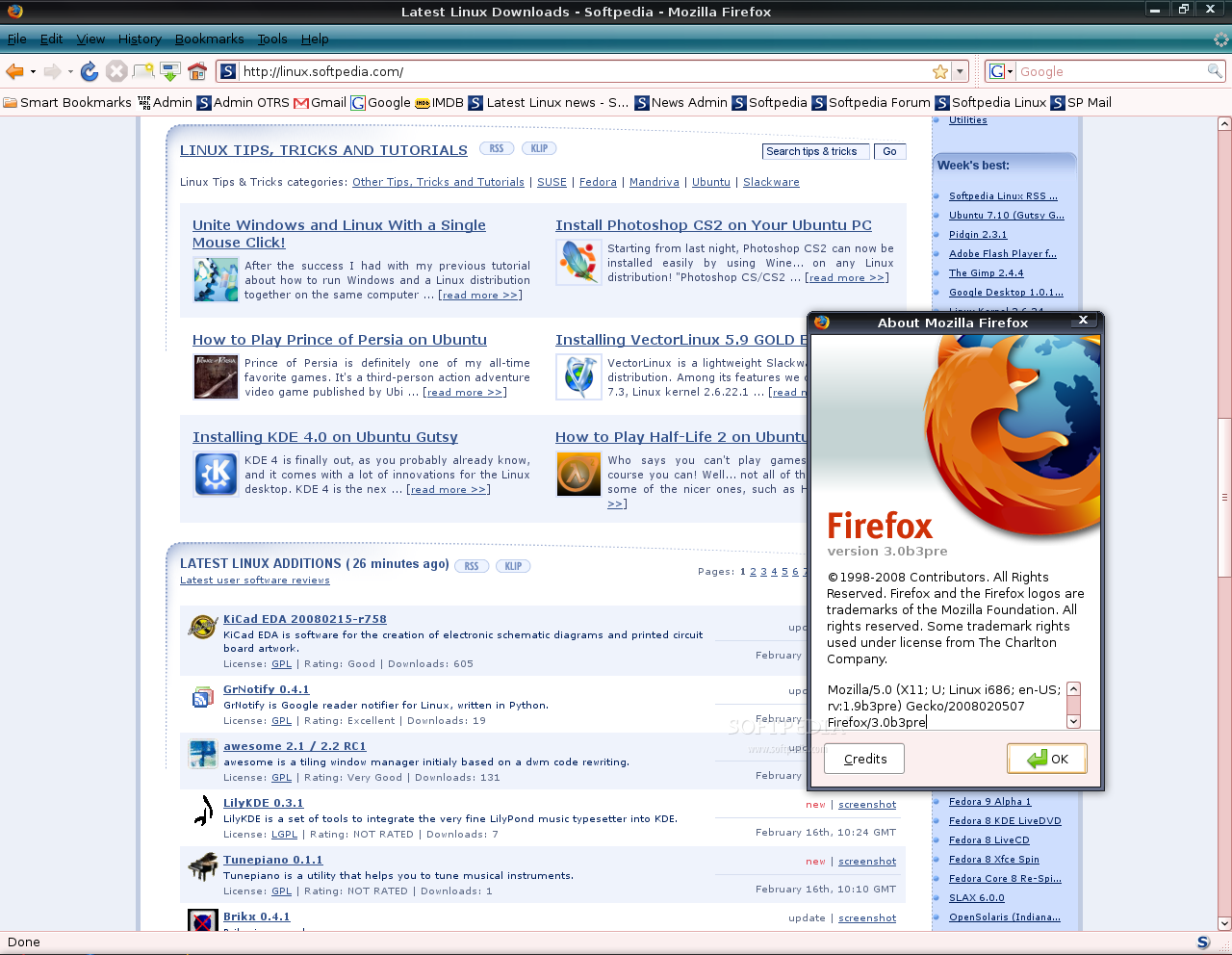
Install Firefox 3 Beta 3 on Ubuntu 7.10

Everybody's talking these days about the brand new beta release of Firefox 3, that it brings many improvements and memory leaks fixes, that it is extremely fast and polishes rough edges. Therefore I wanted to try it myself, but I didn't want to download the binary archive and do some nasty things to my system. So, I've discovered my own simple (5 minutes) method on how to install Firefox 3 Beta 3 on Unbuntu 7.10 (Gutsy Gibbon).


The installation of Firefox 3 Beta 3 under Gutsy Gibbon is quite simple, but it requires a few little tricks which I'll reveal in this guide. Be aware though that this is a beta release and it may have some rough edges here and there; for me, it worked pretty good until now.

Step 1 - Enable the unsupported repositories

Go to System -> Administration -> Software Sources and enter your password when asked.
In the Software Sources window, go to the third tab (Updates) and check the "Unsupported updates (gutsy-backports)" option. Then click the 'Close' button and, when you will be asked if you want to reload the information about available software, click 'Reload' and wait until the Software Sources window disappear.

Step 2 - Install Firefox 3 Beta 3

Now, go to System -> Administration -> Synaptic Package Manager and search for firefox 3. The search will return exactly what you were looking for!

Click on the first result (firefox-3.0) and install it by selecting the 'Mark for Installation' option from the context menu that will appear. Click 'Apply' and the installation will begin. Click 'Yes' to any questions and close Synaptic Package Manager when the installation is over.

Step 3 - Cleaning up and a few magic tricks!

WARNING: The software updates icon will appear in your system tray. Ignore it! Do NOT install any of those updates, because they are unstable and unsupported!

Now we need to close the unsupported repositories because the software updates notification will stay in tray all the time and it's pretty annoying. So, go again to System -> Administration -> Software Sources, click the third tab (Update) and uncheck the "Unsupported updates (gutsy-backports)" option. Then click the 'Close' button and I guess you know the drill...

Magic Trick 1 - Power up Firefox 3 with plugins: Because Firefox 3 Beta 3 doesn't have the plugins that you already have in your Firefox 2 installation, we need to do some "dirty work" and copy the installed plugins from the FF2 directory to the FF3 one. So, open a terminal (Applications -> Accessories -> Terminal) and type or paste the following command:


sudo cp /usr/lib/firefox/plugins/* /usr/lib/firefox-3.0-3.0b3pre/plugins


That it, my friends! You can find the brand new Firefox 3 browser under the Internet category of your main menu.

Magic Trick 2 - Set Firefox 3 as default browser: If you want to set it as the default browser for your system, because, I should warn you that any HTTP link (URL) you will click from other applications, such as Pidgin, Thunderbird, etc, will open in Firefox 2. Therefore, you need to open the Preferred Applications tool from System -> Preferences -> Preferred Applications, select 'Custom' and type in the 'Command' field: firefox-3.0 %s and close the window.

And here's Firefox 3 Beta 3 running on Ubuntu 7.10:


| Continue Reading..

Microsoft’s Hyper-V puts VMWare and Linux on notice

After his last foray into the “Linux guy reviews a Microsoft product” space, Jason Perlow is back — this time to take a look at Microsoft’s Hyper-V, the hypervisor-based virtualization solution built into the newly released Windows Server 2008.

Although Hyper-V is still in beta and isn’t slated to ship in final form until the latter half of this year — and will be missing a few previously-promised features by the time it does arrive — it just might be the “killer app” for Windows Server, and one which will have Microsoft’s competitors scrambling to keep up, Perlow claims.


Here he is, in his asbestos-lined underwear, awaiting the inevitable flames . Take it away, Jason:

I confess to being a virtualization junkie. I’ve been using VM technology on the x86 platform since 1999, when VMWare Workstation first came on the market with their first Linux release. Since then, I’ve worked with a number of virtualization products on the desktop and on the server, as well as in enterprise environments, particularly with VMWare’s ESX Server product, the current market leader in hypervisor-based paravirtualization solutions, as well as with Xen, the Open Source project that comprises the virtualization core of a number of Linux and Unix-based virtualization products and OSes, such as Citrix XenServer, Oracle VM, Sun xVM, Red Hat Enterprise Linux 5, and SuSE Linux Enterprise Server 10. Now I can add Microsoft’s Hyper-V (the beta version in the final Windows 2008 Server bits) to my list.

Hyper-V, formerly known as “Viridian”, greatly differs from the virtualization product from Microsoft currently marketed as Microsoft Virtual Server in that it uses a hypervisor to provide hardware abstraction services to the OS environment and do resource allocation and partitioning. This differs from products such as Microsoft Virtual Server, VMWare Server and VMWare Workstation, Parallels, Linux KVM, and the recently Sun-acquired Virtualbox from Innotek use a technique known as host-based virtualization in which a host operating system such as Windows or Linux runs a subprocess provided by its native kernel called a Virtual Machine Monitor (VMM) to provide virtualization services such as a virtual CPU, memory and devices to a virtual machine. A hypervisor, on the other hand, is a thin abstraction layer which boots on the native hardware that performs some of the functions of an OS kernel, but abstracts much of what is needed to run multiple operating systems with their applications on top of it.

The advantages of hypervisor-based virtualization is that it tends to be faster and more enterprise scalable. The disadvantages are that hypervisors tend to be heavily hardware dependent and usually require hardware acceleration, such as Intel’s “VT” or AMD’s “Pacifica” extensions present in the latest Xeon and Opteron chips, such as it is with Hyper-V and Xen-based solutions, and require modified OS kernels and special paravirtualized device drivers to be run in the VM environment to facilitate enhanced I/O and networking performance.

VMWare’s ESX differs from Hyper-V and Xen in that it currently uses pure software based virtualization, so it doesn’t need the VT or Pacifica extensions. However, it has a much tighter environment as to what kind of hardware it can run on – the hypervisor has a limited device driver compatibility list and VMWare keeps its ESX hypervisor source code very close to the vest, so development goes at a much slower pace – SATA disk drives, which are now commonplace on commodity x86 server machines, are not currently supported in VMWare ESX 3. ESX Server also requires a special networked clustered file system known as VMFS to store the virtual machine images, and you have to dedicate a SAN-based LUN to it. Hyper-V, on the other hand, will run on any modern system that can run 64-bit Windows 2008, stores all its virtual machines on regular directories in NTFS, and provides third-party and built-in driver support by using what is referred to a “Parent” OS as a pass-thru mechanism. In Xen parlance, this is also referred to as “Domain 0”, where device and file system support is provided by the Linux kernel (or in the case of Sun xVM, Solaris) and Linux file systems such as ext3 and ReiserFS.

So let’s get down to the nitty gritty – installation, ease of use, and performance.

It should come as no surprise that Hyper-V’s architecture looks remarkably similar to Xen’s, as Microsoft and XenSource – now a part of Citrix Systems – embarked on a technology sharing partnership in 2006.

The only thing you need to do to use Hyper-V is do a default install of Windows Server 2008, which took about 20 minutes on my Opteron dual-core machine, then go to the Windows 2008 Server Manager and choose “Add New Role” and select “Hyper-V” server. After a few minutes of self configuration and a reboot, Hyper-V boots Server 2008 and you can now start provisioning new Virtual Machines using the Hyper-V Microsoft Management Console (MMC) snap-in tool.

After installing the virtual machine, which can be done via CD-ROM/DVD media or mounting an ISO file, you install the Integration Components (similar to VMWare’s tools) to provide enhanced networking and paravirtualized hardware support. For Windows guest OSes — with the exception of Vista, which will not work with the Integration Tools yet but will run slower in full virtualization mode– this is accomplished with a simple wizard and a reboot of the virtual machine.

source: blogs.zdnet.com

| Continue Reading..

Unite Windows and Linux With a Single Mouse Click!

After the success I had with my previous tutorial about how to run Windows and a Linux distribution together on the same computer (with a single monitor, keyboard and mouse and no other magic tricks required), I decided to improve the installation method with an extremely easy-to-use one.


The idea is the same as in the previous guide, to obtain a single desktop with two completely different operating systems: Windows XP and Ubuntu Linux!

So, if you're wondering what do you need to get started, let me tell you that you must have a usable and stable Ubuntu (other Linux distributions will work) computer with at least 1 GB RAM and a modern processor (Intel Core 2 Duo or equivalent). These are also the components on which I've tested the following guide! Ready? Excited? Let's go!

Advantages of this guide:

· Much easier installation method
· Works with any Windows version
· Less software to configure and install

Disadvantages of this guide:

· No desktop effects! That means, Compiz Fusion will not play nice with VirtualBox in Seamless mode.

Step 1: Install necessary software:

· VirtualBox

Here's how to install VirtualBox on Ubuntu OS:

1. Click the above link and download VirtualBox for your architecture (i386 or amd64). Please notice that on the download page for VirtualBox, you will find packages for many other Linux distributions, in case you don't use Ubuntu.

2. Good, now that the download is finished, double click the .deb file and install the software.

source: news.softpedia.com

| Continue Reading..

Enter your email address:

Delivered by FeedBurner

Followers