Showing posts with label Ajax. Show all posts

FireAtlas : ASP.NET AJAX debugging.

FireAtlas-ASP.NET AJAX FireAtlas is an extension to Firebug dedicated to ASP.NET AJAX debugging.

Still experimental this extension will provide you with useful services when developing ASP.NET AJAX web sites:

PageRequestManager events tracing
WebService calls tracing and inspection
Partial Update inspection within Firebug Net Panel
More to come!

Before download the latest version remember that you will need Firebug and Firefox.

This extension requires Firebug version 1.4X.0a27 and later.

You may download the Firebug standard version or Firebug with tracing enabled.

Platform support

FireAtlas has been designed using Firebug 1.4.0a. You may try to use Firebug 1.3 it has not been tested using this version.

Compatibility has been tested with Firefox 3.0 only. Please send us feedback if you experience issues newer versions.

More : FireAtlas Website

Technorati Tags: ,,,
| Continue Reading..

Download : new version of AJAX Control Toolkit

The AJAX Control Toolkit provides server and client side functionality that developers can quickly integrate to AJAX enable their Web applications. The ASP.NET team has just released a new version of AJAX Control Toolkit including three new controls HTMLEditor, ColorPicker, and ComboBox.

HTML Editor Control

The HTMLEditor control includes options for changing font size, selecting a font, changing background color, modifying the foreground color, adding links, adding images, changing text alignment, and performing cut, copy, and paste operations

Color Picker Control

The ColorPicker control extender displays a popup dialog that enables you to select a color. The ColorPicker is useful whenever you want to provide an intuitive user interface for a user to pick a color.

Combo Box Control

The ComboBox control works like a combination between a standard ASP.NET DropDownList control and a TextBox control. You can either select from a pre-existing list of items or enter a new item.

Links to Resources

· To learn more or to download you can visit the ASP.NET AJAX page: http://www.asp.net/ajax/#3

· For samples or to see the controls live you can visit: http://www.asp.net/ajax/AjaxControlToolkit/Samples/Default.aspx

· We even have added new videos and tutorials from Joe Stagner and Stephen Walther

 http://www.asp.net/learn/ajax-videos/#AjaxControlToolkit

 http://www.asp.net/learn/ajax/#ajaxcontroltoolkit

· If you run into issues and need help you can post questions on the AJAX Control Toolkit forum http://forums.asp.net/1022.aspx

· To submit feedback on the AJAX Control Toolkit visit our Codeplex page: http://ajaxcontroltoolkit.codeplex.com/

Going forward you will see many more such additions and improvements to the AJAX Control Toolkit.

Technorati Tags: ,,
| Continue Reading..

6zap - Open source Web 2.0 communication platform

6zap is a full-featured, open source communications platform that integrates e-mail, calendar and contacts functionality into a single page.
Built with Web 2.0 technologies as a foundation, 6zap is intuitive and easy to use. It enables users to simply switch back and forth between applications, returning to the last message, contact or calendar entry they viewed.

Components

E-Mail

The 6zap E-mail module offers the familiar three pane interface used by Outlook, Thunderbird and other desktop based e-mail programs. 

  • Recognizable Look and Feel: The three-pane view includes folder tree, message list and message preview, and supports common folder, message, attachment and template functionality as well as spell check.
  • Customizable: Users can choose number of messages on page, auto save interval, saving sent messages, default compose mode, signature and language.
  • Drag and drop the messages to a folder to save them or delete them.
  • Compose emails in rich or plain text.
  • Fix spelling errors with the integrated spell-checker.
  • Right click on a message to print, move, reply, forward, delete, etc.

Calendar

The 6zap Calendar module offers an intuitive, yet powerful features to schedule and share your events.

  • User Friendly: Create and move events using drag and drop.
  • Multiple Views: Day, week, work week and month views.
  • Recurring Events: Provides support for the creation and viewing of recurring daily, weekly and monthly events.
  • Multiple Calendars: Events for different calendars are displayed in different colors.
  • Multi-user Capabilities: View calendars of other people in your organization.
  • Access Control: Each calendar has permissions associated with it giving users the ability to create, update and delete events.

Contacts

The 6zap contacts module lets the user add and delete associates and friends.

  • Unlimited Attributes Per Contact: Each contact can have multiple e-mail accounts, phone numbers and other contact information.
  • Integrated with the other modules:  When typing an e-mail address in the E-mail or Calendar modules, the full address auto-completes from your contacts.

Files

The 6zap files module lets the user upload and manage files on 6zap.

  • Desktop like experience: Uploaded files and created directories behave desktop like, you can rename, drag and sort them just like you do on your desktop.
  • User friendly folder navigation:  Browse through folders using explorer-like left navigation pannel.
  • New features added at regular basis: Stable work with new interface features.

Customization and Branding

6zap can be fully customized and branded – in look and feel, as well as each module’s behavior – to meet the needs of your unique environment. 
CSS Templates

  • The look and feel of the different modules is controlled via standard CSS files. All colors, images and fonts can easily be changed by altering these files.
  • JSON Interface and Client Side Templating
  • All data in 6zap is fetched from the server using JSON. The user interface is fully defined in HTML and Zapatec's client side templating engine. As a result, designers can fully change the user interface without affecting any of the server side code.

Internationalization

6zap can be used around the world:

  • All modules can be used in different languages by translating the text of the different messages.
  • The calendar supports different time zones and time/date formats, and allows users to select the first day of the week.

More : 6zap.com

| Continue Reading..

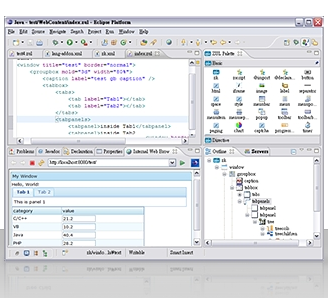
ZK Studio, WYSIWYG AJAX Application

ZK Studio, a visual integrated development environment, provides easy and intuitive tools that span the entire application development lifecycle, including UI design, prototyping, development, and deployment tools for developing ZK applications.

ZK Studio provides content assist, WYSIWYG visual development, hyperlink highlight, syntax coloring, and many other exciting features. ZK Studio is the most efficient way to begin developing Ajax applications.

Feature Highlight
  • WYSIWYG visual development
  • Integrated with Ajax Framework
  • Intelligent Editor
  • Ajax Widgets Palette
  • Eclipse Integration - Plugin
  • Wizard for Projects, and Pages.
  • Automatic Update Manager
  • Code completion
Supported Plaform
  • Eclipse 3.4 - Ganymede
  • Eclipse 3.3 - Europa
  • MyEclipse

Source : zkoss.org

| Continue Reading..

Build An AJAX Powered Shopping Cart

The goal of this tutorial is to show you how to build an AJAX powered shopping cart. However, it will not be production ready. The back end requirements vary from site to site far too much to write an effective tutorial. Instead, we are going to focus on the AJAX parts.

The back end code in this tutorial acts as scaffolding for us to build the AJAX functionality, however, it can be built off of to meet your own site's requirements. In the last section, we'll discuss some possible next steps to implementing this in your own websites.

The other thing to note is that this tutorial will not explain all the details. A firm grasp of HTML, CSS, and some basic PHP is expected. By basic I mean variables, arrays, control structures, and basic OOP. Some knowledge of Javascript is a plus. We'll walk through and break down the trickier bits of PHP and Javascript, but will gloss over the basic stuff like CSS styling. Links to documentation and other relevant resources will be sprinkled throughout wherever relevant.

The final thing to note is that the order codes (or product codes) used in this tutorial are completely arbitrary.

The Demo

The demo page shows a few different ways our AJAX shopping cart can function. It should be noted that this is not a production ready shopping cart. Due to variability of the requirements from site to site, this tutorial will only cover building the skeleton while you will have to code in the details for retrieving product names, prices, and other data that might come from a database.

Step 1 - Downloading the scripts

We're going to be using jQuery, the jQuery color animations plugin, and Thickbox. The color plugin extends jQuery to allow us to use jQuery to animate colors and Thickbox lets us create quick and easy modal windows.

Create a directory on your web server for the cart to live in. For this tutorial we'll be using cart/. Substitute cart/ with the directory you are using on your server. Inside the cart/ directory create js/, css/, and images/ folders for storing your Javascript, CSS, and images.

Download the jQuery, color plugin, and Thickbox files and save them into the appropriate folders we just created in the cart/ directory. Make sure you download the uncompressed thickbox.js.

Your folder structure should look something like this. I have renamed some of the files but it should be pretty obvious what each one is.

cart/js/jquery-1.2.6.pack.js
cart/js/jquery.color.js
cart/js/thickbox.js
cart/css/thickbox.css
cart/images/loadingAnimation.gif
cart/images/macFFBgHack.png

Step 2 - Setup Thickbox

Since our folder structure is a little different from the default Thickbox one, we're going to need to fix some of the paths referencing loadingAnimation.gif and macFFBgHack.png.

Read more here..


Technorati Tags: ,,

| Continue Reading..

Ajax Control Toolkit released for .NET 3.5 SP1

This is an intermediary release that provides a version of the Toolkit that is built against the .NET Framework 3.5 SP1. It contains a new control, MultiHandleSlider, built by Daniel Crenna (thanks, Daniel, you're the hero of this release) and integrates patches contributed by the community. A big thank you to all who contributed (see their names in the hall of fame).

The sample web site is not yet updated to this new release, this will be done in a couple of days. I will update this post once this is done.

What's next?

In the very short term, we will provide a client-side only version of the toolkit, similar to the Microsoft Ajax Library, that enables the development of Toolkit-based applications that do not rely on server-side ASP.NET. This version can also be used in performance-intensive scenarios where resource-based scripts and resources are not desirable, or if you simply prefer to work with files.
Our top priority following this release is bug fixing in order to get back to a stable and low number of bugs. We also have a number of contributors working on new controls, following the priorities the community communicated us.
As usual, all feedback is very welcome.

http://www.codeplex.com/AjaxControlToolkit/Release/ProjectReleases.aspx?ReleaseId=16488

source : weblogs.asp.net/bleroy

Technorati Tags: ,,

| Continue Reading..

Maintain Browser History with AJAX

Most of you out there would have noticed that browser history button doesn’t work if you are using AJAX. Instead of rolling forward or backward the AJAX step they actually move the complete page. This can be a nightmare for users that always tend to use them.

AJAX has a very nice feature known as History Points that allow the browser to keep track of AJAX steps and therefore move through them using forward and backward buttons.

Let’s understand how History Points work through a simple example. We have a page that show company’s departments in a drop down list. On selecting one, the page shows the employees working in that department in a list; on selecting the employee it shows employee details like name, email, salary etc.  Employee information is stored in Employee class.

More : weblogs.asp.net/haroonwaheed

Technorati Tags: ,,
| Continue Reading..

Gaia Ajax Widgets 3.0 Glory Released!

Gaia Ajax Widgets is an Open Source Ajax Framework for Microsoft ASP.NET and Mono. We have all the same controls which you are used to from your standard ASP.NET toolbox plus many more. They work in the exact same way, just without the postbacks; only highly effective Ajax requests. You can use Gaia without any JavaScript knowledge. Our samples is built without any use of JavaScript, just via server-side C# or VB.NET.

4 New Widgets

  • Extended Button: A skinned button with functionality like Toggled, ImageCssClass and easy to customize the looks.
  • Extended Panel: A panel which you can expand, collapse, move and skin just as you'd like. Just as powerful and easy to use as you are used with in Gaia.
  • Calendar: Navigate to and select a date in Ajax speed. It follows the UI Culture pattern and has standard .NET localization. No more struggle with dates and JavaScript...
  • Slider: Give your users access to advanced functionality in no time with our new slider control. Returns a double value between 0 and 100.

8 Widgets Completely Rebuilt

  • TreeView: Can now be Static, meaning the HTML is rendered at first load and it will be readable for search engines. Another great news is that you now can have any Gaia control as a child control, giving you an unlimited flexibility in what kind of grid you want to build. Other news are: Drag and Drop (between treeviews as well), easy to skin, icons per item, low bandwith + WYSIWYG in Visual Studio.
  • Window: We have built it completely from scratch and the result is a high performing and flexible container control. Resize, drag and create modal and great looking windows in no time.
  • Menu: Build your menus in design time in Visual Studio, and add any type of child control you would like. And of course it is XHTML compliant and easy customizable.
  • DateTimePicker: Is based on our new Calendar control and gives you a much more powerful and good looking control with UI Culture settings and standard .NET localization.
  • AutoCompleter: Format and design the autocompleter items easily with the use of our new XhtmlTagFactory. Keywords: speed and flexibility.
  • Accordion: Use this container control to group, hide and show content easily and give your users a smooth web experience.

Introducing Visual Studio Designers

Work with Gaia TabControl, TreeView, Window, ExtendedPanel and ExtendedButton in Visual Studio and they appear just like in your browser. Use helpful Smart Tags and be a happy web designer with Gaia + Visual Studio.
Download and experience the designers now

Brand New Skinning

Gaia comes with a new, great look out-of-the-box.
Visit our samples to get the new feeling

100% XHTML Compliant

All our widgets now produce beautiful XHTML according to the standards which we love so much. For you this means that search engines will love Gaia even more and browsers will render the HTML much faster.


More : ajaxwidgets.com
Posted By: IndoSourceCode

Technorati Tags: ,,
| Continue Reading..

23+ Impressive Tools for Faster Javascript/Ajax Development

Javascript applications are still one of the most complex issues when it comes to web-development. Many tools and applications could make your developing life pretty fast and simple. Today we wanted to share with you a wide range of tools and applications that could really help you build, test and debug Javascript and Ajax applications. Let us know your experience with the tools listed here or others that are not.

You might be interested to check other related posts for more useful tools:


Notification Tools

1-Roar - Notifications (v1.0) Roar is a notification widget that streamlines incoming messages, such as updates or errors, without distracting the user from their browser experience or breaking their work-flow by displaying obtrusive alerts.

javascript ajax tools


2-Damn It DamnIT is a free service that emails you when a user encounters a JavaScript error in your webpages.
javascript ajax tools


3-Growl 2.0 with Mootools Growl is a notification system for Mac OS X, it allows applications that support Growl to send you notifications.

javascript ajax tools


APIs

4-Google AJAX Language API With the AJAX Language API, you can translate and detect the language of blocks of text within a webpage using only Javascript. The language API is designed to be simple and easy to use to translate and detect languages on the fly when offline translations are not available.


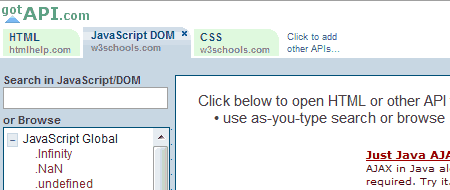
5-Got API An easy to use interface that helps you reach the methods and functions of many JavaScript frameworks by getting the data from trusted sources and websites.
javascript ajax tools


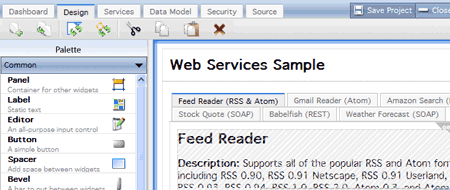
6-WaveMaker Visual Ajax Studio WaveMaker’s Studio and Framework provides a powerful solution for rapidly developing web-based applications. Drag & drop assembly of widgets and service, code-free integration of web-services, databases and Ajax UI, and one-touch deployment to standard Tomcat servers all work seamlessly together to let you build complete web apps in hours!
javascript ajax tools


FrameWorks

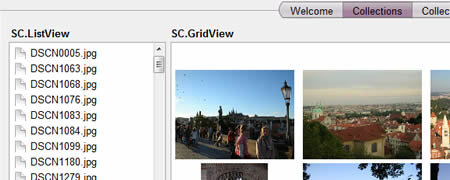
7- SproutCoreSproutCore is a framework for building applications in JavaScript with remarkably little amounts of code. It can help you build full “thick” client applications in the web browser that can create and modify data, often completely independent of your web server, communicating with your server via Ajax only when they need to save or load data.
javascript ajax tools


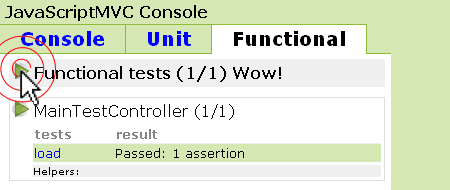
8-JavaScriptMVCJavaScriptMVC is a framework that brings methods to the madness of JavaScript development. It guides you to successfully completed projects by promoting best practices, maintainability, and convention over configuration.
javascript ajax tools


Amazing Tools

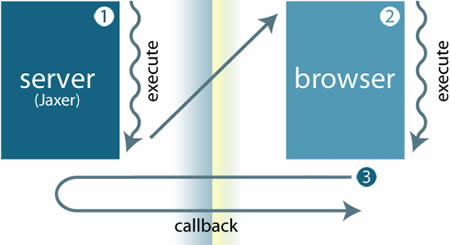
9-Jaxer Jaxer is an Ajax server. HTML, JavaScript, and CSS are native to Jaxer, as are XMLHttpRequests, JSON, DOM scripting, etc. And as a server it offers access to databases, files, and networking, as well as logging, process management, scalability, security, integration APIs, and extensibility.
javascript ajax tools


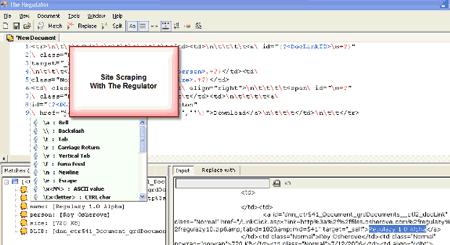
10-The Regulator The Regulator is an advanced, free regular expressions testing and learning tool that allows you to build and verify a regular expression against any text input, file or web, and displays matching, splitting or replacement results within an easy to understand, hierarchical tree.
javascript ajax tools


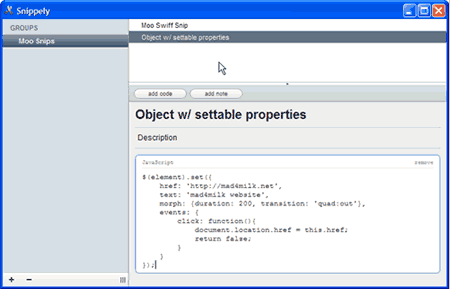
11-SnippelySnippely is a basic text and code organizational tool. Instead of storing bits of code, quick notes, and memos in text files all over your hard drive, this application will let you save and organize “snippets” in one convenient location.
javascript ajax tools


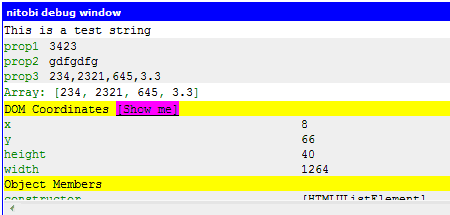
12-NitobiBugIt’s a browser-based JavaScript object logger and inspection tool - similar to Firebug. NitobiBug runs across different browsers (IE6+, Safari, Opera, Firefox) to provide a consistent and powerful tool for developing rich Ajax applications. You can check a demo here.
javascript ajax tools


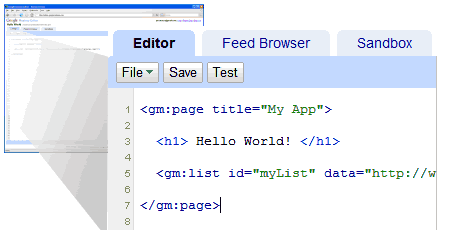
13- Google Mashup EditorThe Google Mashup Editor provides simple tools and features that allow you to create mashups in minutes with the following features:

  • A set of tags that compiles into AJAX UI components.
  • Syntax highlighting
  • Autocomplete of gm tags by pressing the tab button
  • Quick access to documentation for any tag by pressing F2
  • File upload and management
  • Error checking and notification

javascript ajax tools


14- Beautify JavascriptThis tool was intended to explore ugly javascripts, e.g compacted in one line, or just make scripts look more readable.


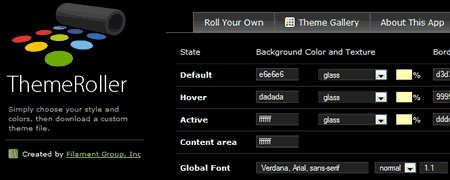
15- ThemeRollerThemeRoller allows you to design custom jQuery UI themes for tight integration in your projects.
javascript ajax tools


16- JSDocJSDoc is a tool that parses inline documentation in JavaScript source files, and produces an documentation of the JavaScript code.


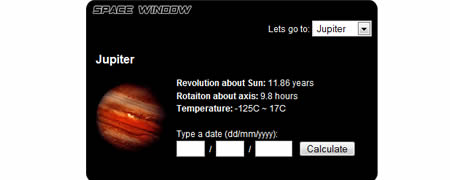
17- Clean AJAX Clean is an open source engine for AJAX, that provides a high level interface to work with the AJAX technology. It was created to solve real problems found on AJAX applications, and is used in many projects. Clean will help you to adopt AJAX saving your time and your code, reducing your learning curve and the code reengineering.
javascript ajax tools


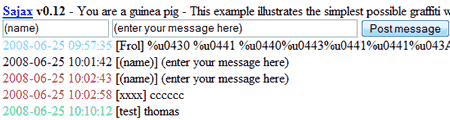
18- Sajax Sajax is an open source tool to make programming websites using the Ajax framework as easy as possible. Sajax makes it easy to call PHP, Perl or Python functions from your webpages via JavaScript without performing a browser refresh. The toolkit does 99% of the work for you so you have no excuse to not use it.
javascript ajax tools


19- JavaScript Code Improver With JavaScript Code Improver you are just one click away from making any JavaScript clear, easily comprehensible and ready for printing thus saving the time you spend on editing, debugging and modifying it.

javascript ajax tools


Browser Addons and Toolbars

20- Greasemonkey Greasemonkey is a Firefox extension that allows you to customize the way web pages look and function. You can use it to make a web site more readable or more usable. You can fix rendering bugs that the site owner can’t be bothered to fix themselves.


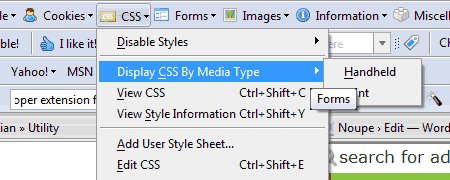
21- Web Developer extension for Firefox This tool is really excellent for quick and easy webdevelopment. It Adds a menu and a toolbar with various web developer tools.
javascript ajax tools


22-Internet Explorer Developer Toolbar The Microsoft Internet Explorer Developer Toolbar provides a variety of tools for quickly creating, understanding, and troubleshooting Web pages.


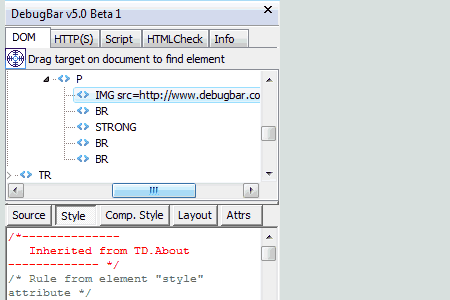
23-DebugBar An Internet Explorer plug-in that brings you new powerful features :

  • DOM Inspector: View DOM Tree and modify tags attributes and css attributes on the fly to test your page
  • HTTP Inspector: View HTTP/S request to check cookies, GET and POST parameters, view server info
  • Javascript Inspector and Javascript Console: View javascript functions for easier debugging, see Javascript and AJAX code
  • HTML Validator: Validate HTML code to correct and optimize your code and html size of your page
  • And many more features: See page cookies, get pixel color on a page, make a page screenshot.
javascript ajax tools


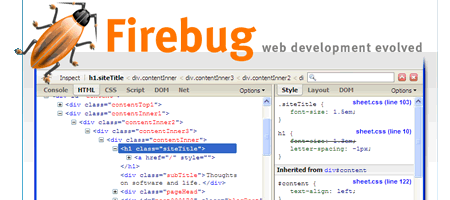
24-Firebug Firebug integrates with Firefox to put a wealth of web development tools at your fingertips while you browse. You can edit, debug, and monitor CSS, HTML, and JavaScript live in any web page. It can be downloaded from here.
javascript ajax tools


Source: noupe.com
Posted By: IndoSourceCode

Technorati Tags: ,,
| Continue Reading..

Ajax Code Libraries and Tools

Code libraries and loots for the development of your Ajax based applications. These days Ajax has been used for the development of responsive web application making it more user friendly. You can make your application's interface like gmail interface.

  1. Chickenfoot firebox
    Chickenfoot is a Firefox extension that puts a programming environment in the browser's sidebar so you can write scripts to manipulate web pages and automate web browsing. In Chickenfoot, scripts are written in a superset of JavaScript that includes special functions specific to web tasks. Fixed some bugs related to packaging Chickenfoot scripts as standalone extensions. Exported Chickenfoot scripts were trying to find the chickenfoot/setup directory in the end-user’s Firefox profile directory. If the end-user had never installed Chickenfoot, this directory would not exist, causing the extension to crash.
  2. Mouse wheel programming in JavaScript
    Web applications are becoming more and more like “normal” desktop applications. Of course, they are more and more functional, but smooth user interface acts the primary role. So we have drag and drop, autocompletition, and much more. Many of those nice features got possible only with help of AJAX. This page, however, is not about AJAX (or any other buzzword). It is about rather simple user input method -- mouse wheel. I believe it would now be difficult to find a mouse without wheel. Vast majority of users are used to the wheel as a control for scrolling in lists, zooming etc. Rather few web applications, however, make smart use of mouse wheel. This page is to provide you with general information about handling mouse wheel-generated events in JavaScript programming language.
  3. JavaScript Sound Kit
    The JavaScript Sound Kit is a wrapper around the ActionScript Sound Object, it makes it possible to use the Sound Object in JavaScript the same way you do it in ActionScript. The API works almost the same way as the ActionScript Sound Object. The JavaScript Sound Kit works by calling a Sound Object in a flash movie with a sound class bridge implemented. The magic happens by using the External Interface available on the flash plugin version 8.
  4. Hibernate, Spring, Echo2 Base Application
    This project is designed as a base application and guide for building AJAX applications using Hibernate, Spring, and Echo2. It is intentionally left sparse (It contains only a group and user editor) so that it can be used as a base for a full blown application. All three technologies are matched cohesively together to provide a robust base for your AJAX applications. Security:
    Allows username/password logon, logoff, and permission checking.
    Permissions can be queried using has Permission(), or enforced using require Permission().
    Enforcement is done in the business tier.
  5. XAP: Extensible AJAX Platform
    XAP is an XML-based declarative framework for building, deploying and maintaining rich, interactive Ajax powered web applications. It aims to reduce the need for scripting and help solve the development and maintenance challenges associated with large scale JavaScript programming. XAP provides:
    * Declarative rich user interface via XML; * Data binding for connecting UI to data. * Incremental update of web pages in a declaratively and programmatically. * A "plugin architecture" allowing developers to define their own XML tags to provide behavior and UI or even use a completely different XML syntax.
  6. Project jMaKi
    jMaki is all about enabling Java developers to use JavaScript in their Java based applications as either a JSP tag library or a JSF component. jMaki uses the best parts of Java and the best parts of JavaScript to deliver a rich AJAX style widgets. jMaki currently provides bootstrap widgets for many components from Dojo, Script.aculo.us, Yahoo UI Widgets, Spry, DHTML Goodies, and Google. jMaki provides a common interfaces to these widget libraries and allows you to use these libraries together in the same page. Play with the jMaki sample application running live at http://javaserver.org/jmaki. For more on running the code on your own server see Running the jMaki Sample Application.
  7. Protowidget
    I’d like to introduce a new JavaScript/Ajax framework that my company is creating. We’re calling it Protowidget because it uses Prototype and does things with widgets. And yes, we know it’s 2006 and this is something like the 800th Ajax framework released this year. We think this one is new and different, though (of course, every parent thinks their baby is beautiful). It is being created out of real needs while building applications for customers and is helping us create better stuff. Please note that this is just a preview. Not everything works like it should or has been tested to the degree we would like. In particular, under certain circumstances, the library leaks memory. We know what needs to change to fix this but haven’t gotten to it yet.
  8. WidgetServer
    In the beginning WidgetServer was intended to be an alternative to XML/GUI and XUL frameworks with the difference that WidgetServer supports multiple target technologies from one single binary application and configuration set:
    * Swing standalone applications or fat Clients,
    * Swing Client/Server application with a rich thin Swing Client,
    *Web applications based on HTML, CSS, if needed JavaScript,
    * and MulitChannel applications which support a mixed Client environment.
    * WidgetServer is prepared for other channels like SWT, mobile etc.
  9. Rhino in Spring
    Rhino in Spring is a project that intends to integrate Mozilla Rhino JavaScript interpreter, the interpreter for the best (in our opinion) dynamic language on the Java platform with Spring Framework, the also best (again, in our opinion) enterprise framework on the Java platform. The aim is to provide a system that amalgamates the rapid development benefits and flexibility of a dynamic language with the strength, scalability and versatility of the Java platform and the Spring framework. At the moment, the project delivers a controller component for Spring MVC that allows complex control flows spanning several webpages in web applications to be expressed as a single structured algorithm in JavaScript, putting the rich set of control flow structures and function reusability of a full-blown language at your fingertips.
  10. Spry framework for Ajax
    The Spry framework for Ajax is a JavaScript library for web designers that provides functionality that allows designers to build pages that provide a richer experience for their users. It is designed to bring Ajax to the web design community who can benefit from Ajax, but are not well served by other frameworks. The first release of the Spry framework was a preview of the data capabilities that enable designers to incorporate XML data into their HTML documents using HTML, CSS, and a minimal amount of JavaScript, without the need for refreshing the entire page. The Spry framework is HTML-centric, and easy to implement for users with basic knowledge of HTML, CSS and JavaScript. The framework was designed such that the markup is simple and the JavaScript is minimal. The Spry framework can be used by anyone who is authoring for the web in their tool of choice. This is the 4th pre-release of Spry. In this release, we are introducing Spry Effects: JavaScript behaviors that provide animation and color effects for page elements.
  11. The Ajax Engine
    AJAX is a technology that enables web applications to call the webserver without leaving the actual page. It's possible to do this in the background without notice of the user. This avoids loading the same form or page including the html markup multiple times, reduces the network traffic and increases the user acceptance. The AJAX Engine that you can find here is built upon the webservice standard protocols SOAP and WSDL for transferring the data between the browser client and the web server instead of using a new or proprietary protocol.
    The key part of this engine is a small webservice client written in JavaScript and a state engine that controls the asynchronous communication. The benefit of that approach is that there is no need to invent new protocols and that the webservice framework on the server can be reused.
  12. The Dojo Foundation
    Dojo is Open Source software, distributed by a non-profit foundation which has been set up for the purpose of providing a vendor-neutral owner of Dojo intellectual property. The goals of all Foundation licensing decisions are to:
    * Encourage adoption
    * Discourage political contention
    * Encourage collaboration and integration with other projects
    * Be transparent
  13. What is JSMX?
    JSMX is an Ultra Lightweight - Language Agnostic - Ajax Framework. It is by far the easiest way to integrate Ajax into any Web Application. What separates JSMX from most other Ajax Frameworks is that the JSMX API runs entirely on the client and has no Server Side Components to install. Given this fact plus the fact that you can pass back JavaScript, XML, JSON, or WDDX makes JSMX a truly Universal Ajax API. Originally designed for ColdFusion developers by leveraging ColdFusion's native ability to quickly build server-side generated JavaScript it became (and still is) a very efficient choice as an Ajax API for the ColdFusion Community. But ColdFusion developers aren't the only ones who can take advantage of this small but powerful API. JSMX has been extended to support XML, JSON, and now WDDX while remaining completely backward compatible to it's original user base. With no Server Side Modules to install and with so many data-exchange options, JSMX is now the perfect choice for fast Ajax integration for ANY language.
  14. What is CFAjax?
    CFAjax is the AJAX implementation for coldfusion. It makes coldfusion method calls on server directly from HTML page using JavaScript and return backs the result to the calling HTML page. CFAjax comes with simple to use JavaScript API and simple coldfusion implementation that marshal’s the response between your CF methods and HTML page. Using CFAjax you can create highly interactive websites with greater performance and usability. Implementing authentication in CFAjax. If you are concerned about exposing your CFAjax logic/functions to outside world and want to prevent other websites from stealing/using your content, there are three authentication mechanism that you can implement in CFAjax to prevent unauthorized access.
  15. AjaxCFC
    AJAX is Asynchronous JavaScript and XML. It is not a technology, but an umbrella that combines several concepts to enrich user experience by allowing server interaction without refreshing the browser. AjaxCFC is a ColdFusion framework meant to speed up ajax application development and deployment by providing developers seamless integration between JavaScript and ColdFusion, and providing built-in functions, such as security and debugging, to quickly adapt to any type of environment and helping to overcome cross-browser compatibility problems.
  16. Ajason JavaScript
    AJASON is a PHP 5 library and JavaScript client for the upcoming Web technology called AJAX. AJAX permits data to be fetched asynchronously without the need for reloading the Web page and thus allows the development of interactive GUI-like Web applications. JSON is a lightweight data interchange format which is used by AJASON to exchange data between server and client. The key features of AJASON are:
    * Fully object oriented code in PHP 5 and JavaScript
    * Call PHP functions and object methods from JavaScript asynchronously
    * Exchange even complex data types like arrays and objects (precisely object properties) between server and client
    * Use JavaScript callback functions to process server responses
    * Client side error reporting for server side AJASON errors
    * Open source released under the GNU GPL
  17. ICEfaces Ajax
    ICEfaces Community Edition is an Ajax application framework that enables J2EE application developers to easily create and deploy thin-client rich web applications in pure Java. ICEfaces Community Edition is a fully featured product that Java developers can use to develop new or existing J2EE applications at no cost. ICEfaces' revolutionary Direct-to-DOM (D2D) rendering technology and Ajax Bridge
    empowers developers to quickly produce sophisticated and robust J2EE applications that exhibit the following characteristics:
    * Smooth, incremental page updates with in-place editing and no full page refresh.
    * Asynchronous page updates driven from the application in real time.
    * Fine-grained user interaction during form entry that augments the standard submit/response loop.
    * User context preservation during page update, including scrollbar positioning and user focus.  
  18. Javeline Framework
    Javeline FrameWork does away with traditional page-based interfaces on the Internet. Web applications can now behave exactly like a desktop application. Javeline FrameWork includes familiar controls such as trees and buttons that enable developers to build interactive, data-bound applications that automatically update their data without round trips to the server. With the included Skinning Engine designers can create a custom look & feel, using familiar, established technology such as CSS and XHTML. Data is delivered to the application via Javeline TelePort, making Javeline FrameWork applications agnostic of back-end technology. Javeline TelePort takes care of the communication between the client and the server. It elegantly handles errors, time-outs and retry. TelePort features an advanced polling interface for controlling reconnecting and polling frequency. Javeline TelePort has built-in support for XML-RPC, SOAP, JSON, REST, Comet and Javeline FrameWork-specific protocols.
  19. My-BIC Ajax
    My-BIC provides support for XML, JSON and TEXT ajax transactions. My-BIC has also been tested to work with Safari, Firefox, IE and Opera web browsers. That's the front controller that runs the server side. I provide 2 server side pieces and you supply the rest. Please visit the tutorials section to see how easy most things are. The high level overview is you make a xmlhttp request to a server page named "mybic_server.php" which reads a $_REQUEST['action'] variable to find out what class it needs to load. The nice thing about having a front controller style on the server side is you can add security layers in one file which get handled on every ajax request. Let's say someone doesn't like you and decides to write a script that sends bad data nonstop to all your ajax pages.
  20. Ajax Toolkit Frameworks
    AJAX Toolkit Framework (ATF) provides extensible tools for building IDEs for the many different AJAX (asynchronous JavaScript and XML) run-time environments (such as Dojo, Zimbra, etc.). This technology also contains features for developing, debugging, and testing AJAX applications. The framework provides enhanced JavaScript editing features such as edit-time syntax checking; an embedded Mozilla Web browser; an embedded DOM browser; and an embedded JavaScript debugger. An additional and unique aspect of the framework is the Personality Builder function, which assists in the construction of IDE features for arbitrary AJAX run-time frameworks and thus adds to the supported set of run-time environments in the ATF.
  21. SAJAX Simple Ajax Toolkit
    Get support from the people who made Ajax easy for the masses. If your staff needs a helping hand with your Ajax project, we now offer commercial support and consulting. Email support for the Sajax library starts at an affordable $199 per year. We can help you build your project for rates from $150 per hour. Contact us for more information. Sajax itself remains under the open source BSD license. Sajax is an open source tool to make programming websites using the Ajax framework - also known as XMLHTTPRequest or remote scripting  as easy as possible. Sajax makes it easy to call PHP, Perl or Python functions from your webpages via JavaScript without performing a browser refresh. The toolkit does 99% of the work for you so you have no excuse to not use it.
  22. Get Elements By Tag Names
    HTML has several related elements with distinct tag names, like h1-h6 or input, select and textarea. getElementsByTagName works only on elements with the same tag name, so you cannot use it to get a list of all headers or all form fields. The getElementsByTagNames script (note the plural "names") takes a list of tag names and returns an array that contains all elements with these tag names in the order they appear in the source code. This is extremely useful for, for instance, my ToC script, which needs all h3s and h4s in the document in the correct order. I'd have  loved to add this method to the Node prototype, but that's impossible in Explorer and Safari. Therefore I use it as a normal function until all browsers expose their W3C DOM prototypes.
  23. JavaScript Component for AJAX
    AJAX Client Engine (ACE) is a JavaScript component that makes it easy to develop AJAX-style Web applications.
    * Object-oriented API. The component encapsulates the details of creating and calling the XMLHTTPRequest object completely. It provides an object-oriented API that is simple and yet powerful. The user only need become familiar with three JavaScript classes, Engine, Request, and Response, to access all the functionality of the XMLHTTPRequest object as well as additional framework services.
    * Cross-browser support. The component handles the differences between Internet Explorer and Mozilla Firefox browsers in creating the XMLHTTPRequest object, transforming XML documents, and so on.
    * Request option. The user can make either an asynchronous or a synchronous request by either providing a callback function or not.
  24. Rialto - Rich Internet Application Toolkit
    Rialto (Rich Internet Application Toolkit) is ajax-based cross browser JavaScript widgets library. Because it is technology agnostic it can be encapsulated in JSP, JSF, .Net, Python or PHP graphic components. Nowadays it supports pure JavaScript development and JSP/taglib development. A JSF, pyhton, .Net and PHP integration are on the road. The purpose of Rialto is to ease the access to rich internet application development to corporate developers. Ideally a Rialto developer have neither need to write or understand DHTML, Ajax or DOM code.
  25. PAJAJ: PHP Asynchronous JavaScript and JSON
    You do not have to be an expert at PHP, HTML, JavaScript, and CSS to use the framework. You can do most, if not all, your coding in PHP, and the framework will generate HTML, CSS, and JavaScript for you. There are object for most of the HTML element, with method to manage common task, like updating the content of a Div or items in a forms Select pull down. A lot of the other frames include a simple example that is anything but simple. the framework supports 3 different development models: i. the developer develops the whole application and interface in PHP, since the framework knows about HTML elements you want to interact with, i.e. there are objects for Select, Div, Table with instances with unique IDs; it is easy to have the framework generate simple html and CSS for you. ii. A designer generate a pretty but dump page, and you then hook events to it to make it a real application.  iii. You design an interface as a template, and have the framework make html, CSS, JavaScript that you pore into the template.
  26. Ajax jsquery
    An implementation of an AJAX JavaScript data generation server, http client, and client result set Uses a JavaScript http client to dynamically map the results of data requests from a Java application server to a web browser HTML form without requiring refresh or page submit (similar to Google Suggest). Server side data can be SQL via JDBC, an object relational mapping using a tool such as Hibernate, returned from a server connecting a group of peers or pipelined from another source like a SOAP server. In other words, jsquery allows the pages in your web application to dynamically get new information from the a server application without requiring a page refresh. 
  27. Sack Ajax JavaScript
    SACK and will be, over the next little while, updated with resources and tutorials about how to use SACK to enhance your webpages. Maybe it will even give you some ideas! If you come up with something special please let me know, I’d love to hear from people that are using my SACK in their projects or products. The same goes for any suggestions, please tell me how I can make this better. SACK 1.2 is included with WordPress 2.0, which makes me happy beyond words, newer versions of SACK should work with no problems in WordPress. Full documentation of the classes methods and variables is available here. However this information is included in the zip package as well. It should be more than you need, but if you have any trouble then please let me know: The aim is to make everything simple, so if you are confused I need to fix something.                             
  28. JS Eclipse
    JSEclipse is the best and most popular JavaScript plugin for the Eclipse environment. Its benefits are visible from the simplest tasks like editing small sections of code for your site to the more complex ones like working with the next big AJAX library or developing plugins for a product that embeds JavaScript like Dreamweaver or Photoshop. JSEclipse offers several licensing options, out of which one will surely fit your needs. Read more about the licensing scheme. You can also use the unrestricted free for non-commercial use version.
  29. Ajax any where
    Ajax Anywhere is designed to turn any set of existing JSP or JSF components into AJAX-aware components without complex JavaScript coding. In contrast to other solutions, Ajax Anywhere is not component-oriented. You will not find here yet another AutoComplete component. Simply separate your web page into multiple zones, and use Ajax Anywhere to refresh only those zones that needs to be updated.
    How to work: 1. Mark "reload-capable" zones of a web page with AjaxAnywhere custom tags. 2. Instead of submitting a form in traditional way, do it by AjaxAnywhere javascript API. 3. During request processing on the server-side, determine the zones to refresh.  4. On the server-side AjaxAnywhere will generate an XML containing only the "updated" HTML. 5. On the client-side AjaxAnywhere javascript will receive the XML, parse it and update the selected zones.
  30. PowerWEB LiveControls for ASP.NET
    Imagine creating rich web applications that don't flash when posting data to the server...shopping carts that dynamically confirm customer information, inventory, shipping costs, and discounts using server-side resources...financial applications that update rates without the usual flicker...sports applications that update scores in real time...all with simple drag and drop ASP.NET controls. PowerWEB LiveControls for ASP.NET is a suite of 21 Web Controls that allow you to raise server-side callbacks and update form elements without reloading the entire HTML page. They are a direct replacement for many standard Microsoft controls, allowing you to manipulate client-side objects or send data to the client without disrupting the user experience with a page refresh.
  31. World's Easiest JavaScript AJAX ToolKit
    AJFORM is a JavaScript toolkit which simply submits data from any given form in an HTML page, then sends the data to any specified JavaScript function. AJFORM degrades gracefully in every aspect. In other words, if the browser doesn't support it, the data will be sent through the form as normal. It has been successfully tested on: * Mozilla FireFox 1.0+  * Netscape 7.0+  * Internet Explorer 5.5+ for Windows * Safari 1.2+  * Opera 7.6+ .
  32. Ajax JSP Tag Library
    The AJAX Tag Library is a set of JSP tags that simplify the use of Asynchronous JavaScript and XML (AJAX) technology in JavaServer Pages. AJAX is primarily rooted in JavaScript. However, many server-side developers do not have an extensive knowledge of client-side programming in the browser. It's much easier in some cases for J2EE developers, especially, to simply add a JSP tag to the page to gain the function desired. This tag library fills that need by not forcing J2EE developers to write the necessary JavaScript to implement an AJAX-capable web form. The tag library provides support for live form updates for the following use cases: auto complete based on character input to an input field, select box population based on selections made from another field, callout or balloon popup for highlighting content, refreshing form fields, and toggling images and form field states on/off.
  33. JavaScript to Java AJAX communications library
    JSON-RPC-Java is a key piece of Java web application middleware that allows JavaScript DHTML web applications to call remote methods in a Java Application Server without the need for page reloading (now refered to as AJAX). It enables a new breed of fast and highly dynamic enterprise Web 2.0 applications. JSON-RPC-Java is a dynamic JSON-RPC implementation in Java. It allows you to transparently call server-side Java code from JavaScript with an included lightweight JSON-RPC JavaScript client. It is designed to run in a Servlet container such as Tomcat and can be used with JBoss and other J2EE Application servers to allow calling of plain Java or EJB methods from within a JavaScript DHTML web application.
  34. Introduction to JSON
    JavaScript Object Notation (JSON) is a lightweight data-interchange format. It is easy for humans to read and write. It is easy for machines to parse and generate. It is based on a subset of the JavaScript Programming Language, Standard ECMA-262 3rd Edition - December 1999. JSON is a text format that is completely language independent but uses conventions that are familiar to programmers of the C-family of languages, including C, C++, C#, Java, JavaScript, Perl, Python, and many others. These properties make JSON an ideal data-interchange language. JSON is built on two structures:
    * A collection of name/value pairs. In various languages, this is realized as an object, record, struct, dictionary, hash table, keyed list, or associative array.
    * An ordered list of values. In most languages, this is realized as an array, vector, list, or sequence.
  35. Introduction to the Simple Web Framework
    The Simple Web Framework (SWF) is a Java framework for creating Web applications and occupies the same architectural niche as Struts and JSF. Unlike Struts and similar to JSF, the SWF is based on a server side event system. Unlike Struts or JSF, the SWF supports In place Page Updating, or IPU. With IPU, an event is posted through an XmlHttpRequest channel rather than as a form submit, as is the case with JSF. The result returned to the browser is not a full page, but only the page fragments that have been changed (dirty regions) by the event. The SWF refreshes the dirty fragments in place, without reloading the page. With IPU, the page will not lose its scroll position, JavaScript variables will not be lost, and a host of other behavioral improvements that help you create a richer application. The SWF also fully supports links and submit type events, like JSF, for when you want (or need) to use full Page reloads.
  36. AjaxAC - Open-souce PHP framework for AJAX
    AjaxAC is an open-source framework written in PHP, used to develop/create/generate AJAX applications. The fundamental idea behind AJAX (Asynchronous JavaScript And XML) is to use the XMLHttpRequest object to change a web page state using background HTTP sub-requests without reloading the entire page. It is released under the terms of the Apache License v2.0. Features 
    The basic idea behind AjaxAC is that you create an AjaxAC application, which in itself contains a number of action handlers and event handlers. An application in this context might mean an entire web site powered by AJAX, or it could mean a subset of a form.
    * All application code is self-contained in a single class (plus any additional JavaScript libraries)
    * Calling PHP file / HTML page is very clean. All that is required is creating of the application class, then referencing the application JavaScript and attaching any required HTML elements to the application.
    * Built in functionality for easily handling JavaScript events.
  37. Flexible Ajax Framework
    Flexible Ajax is a handler to combine the remote scripting technology, also known as AJAX (Asynchronous Javascript and XML), with a php-based backend. The AJAX Technique is best described in the wikipedia article and the original article on adaptivepath.com, giving the technique the name AJAX. Basically, Flexible Ajax is the tool to call php functions from within javascript and handle the returned values, without having to reload the entire page. Facts about Flexible Ajax
    * written in PHP5 using object-oriented code
    * consists of a client and a server handler
    * allows separation of client side-code and server side-code
    * get and post methods supported
    * easy to implement into existing co
  38. Introducting xajax 0.2.4
    xajax is an open source PHP class library that allows you to easily create powerful, web-based, Ajax applications using HTML, CSS, JavaScript, and PHP. Applications developed with xajax can asynchronously call server-side PHP functions and update content without reloading the page. The xajax PHP object generates JavaScript wrapper functions for the PHP functions you want to be able to call asynchronously from your application. When called, these wrapper functions use JavaScript's XMLHttpRequest object to asynchronously communicate with the xajax object on the server which calls the corresponding PHP functions. Upon completion, an xajax XML response is returned from the PHP functions, which xajax passes back to the application. The XML response contains instructions and data that are parsed by xajax's JavaScript message pump and used to update the content of your application.


  39. Source: roseindia.net
    Posted By: IndoSourceCode


Technorati Tags: ,,
| Continue Reading..

25 Excellent Ajax Techniques and Examples

Ajax allows for rich-internet applications that mimic the responsiveness and complex user interfaces typically associated with desktop applications. Moving applications to the web browser opens many possibilities, including the ability to save user data, connecting with other users for collaboration and sharing, and making deployment and using the application easier since web browsers are standard-issue with most computers regardless of operating system.

If you’re interested in expanding your understanding of Ajax techniques and practices, check out these 25 hand-picked Ajax articles and tutorials that outline various methods and concepts involved in the development of Ajax-based applications. Though most are geared for budding and intermediate developers, veterans might find a trick or two they haven’t encountered before.


1. Ajax RSS reader

Ajax RSS reader - Screenshot

Build a simple RSS reader that takes remote XML data from RSS feeds using Ajax, PHP, and MySQL. This example allows users to view feed content from multiple sources in one page. At the bottom of the article, you’ll find an animated demonstration of the RSS reader.

2. Ajax Desktop Tutorial

Ajax Desktop Tutorial - Screenshot

This tutorial is a step-by-step guide on how to create a desktop/homepage similar to Pageflake and Netvibes. The goal of this tutorial is to showcase some common techiques involved in developing web-based applications like manipulating the Document Object Model (DOM), listening to events (i.e. certain mouse movements), and working with remote data.

3. Ajax for Chat

Learn to build a simple web-based chat client using asynchronous JavaScript, XML, and PHP. The tutorial’s example utilizes the Prototype JS framework, MySQL, and PHP.

4. Create your own information space with Ajax and del.icio.us

This article outlines the basic foundations of using Ajax alongside an API service. It uses the del.icio.us API, but the methods and concepts can be adapted to other popular services such as Digg’s or Flickr’s. It’s an essential resource for those contemplating on creating web applications that use remote XML data - a couple of live examples are popurls and SocialBlade, which obtains information from social media sites using available API services. This tutorial requires you to register (for free).

5. Ultra-lightweight Charts For AJAX

Ultra-lightweight Charts For AJAX - Screenshot

See how to create a super-lightweight (1.78 KB) charting component using Flash with Ajax. The example allows you to generate visual graphs using dynamically-loaded data. The solution involves ActionScript-JavaScript communication, and covers the use of the setData and setStyle ActionScript methods for generating and styling the charts.

6. Quick Calendar Using AJAX and PHP

Quick Calendar Using AJAX and PHP - Screenshot

Learn how to create a calendar component using Ajax and PHP. Ajax is used for navigating through the calendar months without refreshing the page.

7. How to integrate Google Calendar in your website using AJAX

How to integrate Google Calendar in your website using AJAX - Screenshot

This tutorial shows you how to create a web page component that calls a publicly available Google calendar. Google Calendar allows you to easily create, share, and manage events and is an excellent feature for community websites.

8. Edit In Place with AJAX Using jQuery

Edit In Place with AJAX Using jQuery - Screenshot

In this example, users are given the ability to edit the XHTML of the web page they’re currently viewing. The example is a proof-of-concept – presenting how this functionality can be achieved using jQuery. Normally, you’d want to send the user’s edits to server-side code to perform processes such as validation or saving the changes in a database.

9. Creating an AJAX Rating Widget

Creating an AJAX Rating Widget - Screenshot

Learn the concepts of creating a rating system without prompting the user to click a submit button or refreshing the page. The tutorial showcases how you can do this in a variety of ways by including examples for the following four JavaScript frameworks/libraries: Dojo, jQuery, mootools, and Prototype JS.

10. AJAX file upload tutorial

AJAX File Uploader - Screenshot

In this tutorial, you’re shown how to create a file uploader. The tutorial uses JavaScript and PHP.

11. Use AJAX and PHP to Build your Mailing List

This tutorial from SitePoint walks you through the development of a mailing list form that accepts submissions asynchronously. It uses MySQL for storing the data inputted by the user and Prototype JS for simplifying Ajax requests and binding event handlers.

12. Safer Contact Forms Without CAPTCHAs

Safer Contact Forms Without CAPTCHAs - Screenshot

One way to reduce spam from public web forms is to implement a system to verify if the submitter is human by using image CAPTCHAs. Problems arise with accessibility when individuals using visual assistive technologies are presented with the test (and thus cannot continue on). This simple technique uses an Ajax call to a server-side script to drop a cookie on the user’s computer.

13. Using AJAX with CAPTCHA

Using AJAX with CAPTCHA - Screenshot

Avoiding the use of image-based CAPTCHAs is a good idea. With that said, many sites still prefer using this technique to distinguish between humans and computers. If forgoing web accessibility is appropriate for your situation, this article outlines a unique method for administering CAPTCHA tests. The user is presented with a sequence of descriptions (i.e. Animal, Costume, Boy), and asked to click on a set of images in sequential order. The clicks are recorded and validated, returning the appropriate status message. Though probably not an ideal solution to CAPTCHAs, it does outline a fundamental technique for developing responsive user interfaces - use it for inspiration.

14. Ajax-based login form

Ajax-based login form demo - Screenshot

Create a basic login form that asynchronously validates the inputted data. The example uses the jQuery form plugin and PHP to process the request.

15. Nice Ajax effect for message box using Mootools

Nice Ajax Effects for messages - Screenshot

In this example, a message box that fades after a specified duration is displayed when the user clicks on the "save" button. This is a model for supplying users with the status of their request, and an real Ajax request should typically happen when the user clicks on the "save" button.

16. AutoCompleter Tutorial

AutoCompleter Tutorial - Screenshot

The AutoCompleter tutorial teaches you how auto completion of input fields can be accomplished. The example uses jQuery, PHP, and MySQL.

17. Auto-populating Select Boxes using jQuery & AJAX

Auto-populating Select Boxes using jQuery & AJAX - Screenshot

A key technique in Ajax applications is to populate content without a page refresh. In this tutorial, you’ll witness how this is done with a PHP and JavaScript (jQuery to make it easier).

18. Build an Ajax Dropdown Menu

Here’s a basic example of working with external data to load content into a drop-down menu - from our beloved Webmonkey. Though the example uses a text file, you can use your own data source when applying the technique to your own purposes.

19. Ajax/PHP Shoutbox Tutorial

Ajax Shoutbox - Screenshot

Make an Ajax-powered shoutbox using PHP and JavaScript. This tutorial walks you through the server-side and client-side requirements of creating a shoutbox, which can be adapted to other functions such as a commenting system.

20. Building Tabbed Content

Building Tabbed Content - Screenshot

Learn how to build a tabbed content component with the data populated via Ajax. The tutorial uses PHP and Prototype JS.

21. How to Load In and Animate Content with jQuery

Load In and Animate Content - Screenshot

This step-by-step tutorial shows you how to load data into a web page using jQuery to handle the Ajax request and manipulation of the DOM.

Best practices and workaround techniques to common issues
22. The Hows and Whys of Degradable Ajax

The Hows and Whys of Degradable Ajax - Screenshot

This article discusses the concept of creating Ajax-based applications that degrades effectively when JavaScript is not detected, providing increased accessibility and bulletproof-ness. Completely successful degradation means that an application is still usable and information is still accessible without reliance to JavaScript or CSS.

23. Avoid unnecessary Ajax traffic with session state

This article presents a method for minimizing unneeded database/computational processes and avoiding large status updates if no changes have occurred. By using client cookies to keep track of the session’s state, you can cut down on processes that may be redundant. Though the article presents an example using Python for server code – the model remains the same in virtually any language you use.

24. A Better Ajax Back Button Solution

Here’s a workaround to issues pertaining to Ajax-loaded content breaking web browser controls and bookmarking capabilities. The solution involves firing off a function at a set interval that checks the #value of the URL, and then presenting the correct content. It restores the ability to bookmark the content. In Part 2 of the article, you’ll see a working example and additional discussion of this method.

25. Making Ajax Work with Screen Readers

Making Ajax Work with Screen Readers - demonstration Screenshot

One of the biggest drawbacks of loading content via Ajax is that it fails to indicate an update of the content to users who are reliant on screen readers. For people who are not visually-impaired – messages and status indicators can be visual queues that the content is changing; this isn’t effective for users with visual impairments. This article draws out the underlying issues and proposes techniques to make Ajax-based applications work with screen readers.

There we have it… some brilliant Ajax techniques and examples. I hope you’ve found some links of interest that will help you in a future project or in advancing your command of Ajax.


Source: sixrevisions.com
Posted By: IndoSourceCode

Technorati Tags: ,,
| Continue Reading..

How to Create Interactive Form Validation Using Ajax

I’m sure you’ve seen those nice interactive form validations on some Web 2.0 websites. The validation occurs while you’re typing your form input. For example, you’re typing your email in the email address field. You see a red “X” mark beside the field and when you’re finished typing your email address, a green check mark replaces the red “X” mark. What happens there is while you’re typing in your email address, the page communicates with the server to validate what you’re typing. When you finished typing your email address and the data you keyed in is valid, it passes the validation so it shows the green check mark without reloading the page. This is done using Ajax.

In this tutorial, you’re going to learn how to make this kind of interactive, Ajax-powered form validation (the same validation sample mentioned earlier). If you haven’t used Ajax before, don’t worry because I will show you how you can create Ajax-powered applications without worrying about the whole XmlHttpRequest process. If you can program with PHP and a little Javascript, you’re good to go. All you need is this handy little open-source Ajax toolkit called Sajax.

So the first thing you need to do is download the Sajax toolkit. Unzip the archive file and find the file named “Sajax.php”, since we’ll be using it in a PHP application. It is located under a folder named “php”. Inside that folder, you’ll also find some code samples. Sajax supports other server-side scripting languages as well like ASP, Perl, Python, and others. Upload the “Sajax.php” file into your webserver in a directory accessible by the PHP form validation script that you’re going to make. The sample code below show’s the implementation of an email validation script using PHP, Javascript, and Sajax. Examine the script to see how it works. I placed lots of comments to help you out.

<?php

# Include the Sajax toolkit
require(“Sajax.php”);

# Define the email validation function
function validate($email) {
if (preg_match(
‘/^[_A-z0-9-]+((\.|\+)[_A-z0-9-]+)*@[A-z0-9-]+(\.[A-z0-9-]+)*(\.[A-z]{2,4})$/’,
$email)) {
return ‘Valid’;
} else {
return ‘Invalid’;
}
}

# Initialize Sajax
sajax_init();
# Export the server-side function to Sajax
sajax_export(‘validate’);
# Handle client request
sajax_handle_client_request();

?>

<html>
<head>
<script type=“text/javascript”>
<?php
# Sajax toolkit generated javascript code
sajax_show_javascript();
?>
// Sends the email input to the server-side function
// and throws the return value to showValidation.
function js_validate(email) {
x_validate(email, showValidation);
}
// Prints the return value on the screen.
// Changes the container’s font color to green
// if the return value is “Valid” and
// to red if not.
function showValidation(html) {
var element = document.getElementById(‘validation’);
element.innerHTML = html;
if (html==‘Valid’)
element.style.color = ‘green’;
else
element.style.color = ‘red’;
}
</script>
</head>
<body>
<form>
Email:
<input type=“text”
onkeyup=“js_validate(this.value)” name=“email” />
<span style=“font-weight:bold;” id=“validation”></span>
</form>
</body>
</html>


  1. Imports the Sajax toolkit.


  2. Defines the function that will validate the email address input by the user.


  3. The next 3 lines, to summarize, exports the server-side function so it can be called through Javascript.


  4. The next lines display the HTML web page.


  5. Inside the header and script tags, you’ll find the call to sajax_show_javascript. This outputs all the Javascript code necessary to utilize the server-side function.


  6. The Javascript function js_validate sends the email input to the server side function, catches the return value and throws it to the other Javascript function - showValidation. Within this function definition, you’ll notice the call to a function “x_validate”. This Javascript function is generated by Sajax. It calls the server-side function “validate” and passes the parameter, “email”. The last parameter of x_validate is the name of the function that will receive the return value of the server-side function. When you call a server-side function using Javascript and Sajax, you simply add a prefix “x_” to the function name. The parameters are the same as the server-side function but you need to add one parameter at the end. This is the name of the Javascript function that will receive the return value. If this parameter is left out, no return values will be handled.


  7. The Javascript function showValidation simply puts this return value (”Valid” or “Invalid”) in the container “validation”. Also, if the return value is “Valid”, this function changes the font color of the container to green. Otherwise, it sets the font color to red.


  8. The function js_validate is called every time the user types something in the input field (onkeyup event).


We didn’t do the little red “X” and green check marks here but with just a little creativity, you should be able to implement this.


Source: dev102.com


Posted By: IndoSourceCode


Technorati Tags: ,
| Continue Reading..

Enter your email address:

Delivered by FeedBurner

Followers